Custom pages can only have one screen… Right? No, actually they can have multiple screens like a normal Canvas App
I was a bit surprised when learning this because I have been told that there only was one screen per Custom Page. Turns out that Microsoft only recommends one screen pr Custom Page, because they want to isolate the pages better, and rather navigate between custom pages.
In some cases, you actually just want a simple screen instead of a new Custom Page.
Enabling multiple screens
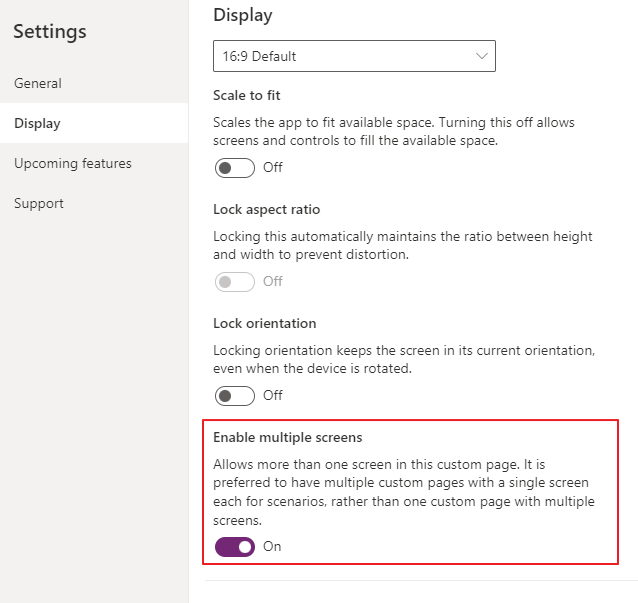
This might be old news for many, but I for one did not notice this before recently🤷♂️
Discover more from CRM Keeper
Subscribe to get the latest posts sent to your email.

 CRM Keeper
Hi
any way to close the custom page when we have multiple pages.
LikeLike
Should be the same as a “normal” one screen? Last time i tried at least.
LikeLike
in case of single page, Back() takes to Model driven app but in multiple pages, Back() takes to previous screen and thus move from first to 2nd and 2nd screen to first.
LikeLike
https://learn.microsoft.com/en-us/power-platform/power-fx/reference/function-exit
Would this help? I actually changed my app that I was using to a hide show with groups
LikeLike