Recently faced an issue where Microsoft Team meetings were corrupted when synchronized with Dynamics 365 via App for Outlook.
Before Tracking
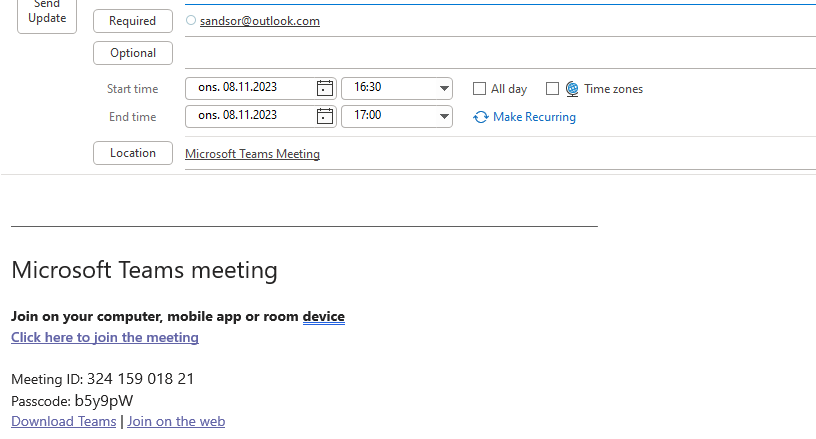
Look at the Teams Meeting link. Everything seems ok before tracking
After Tracking
The tracking link got corrupted for some strange reason.

Solution
I had to contact support to better understand the problem, and the solution was really strange. They made me download the OrgDBSettings tool (a common tool to do certain modifications) in Dataverse/Dynamics. Here they told me to modify the “Appointmentricheditorexperience” value to TRUE. This is actually a value that is default FALSE.
I just can’t make any sense of that, because why on earth do you need that to be false? In every case you would want this to be true if you plan to sync appointments?!?

Anyways….. Just make sure it’s true, and you should be ready to go😊
Organization Settings Editor – in case you need it
Download here:
https://github.com/seanmcne/OrgDbOrgSettings/releases

Import to Dynamics, and open via Classic Mode

Discover more from CRM Keeper
Subscribe to get the latest posts sent to your email.

 CRM Keeper