I was never a fan of the Business Process Flow (BPF) because of the many flaws. Sometimes I didn’t think it was easy enough, and other times not advanced enough. It simply wasn’t what I needed.
In a recent project I decided to give it another go, because the customer wanted to continue with the BPF they had from their old CRM system.
Opening the PBF now I see that there is so much new features here that I haven’t seen before. I guess most of these features are due to the FLOW platform now taking over the BPF.
Challenge: Setting pipeline phase
I know you can report on the BPF entity, but that is more complex than reporting on the opportunity entity if you ask me.
Can I set the “Phase” field on the opportunity when navigating to the next step in the BPF? Let’s see!!
I wanted to set the Pipeline Phase with BPF
Config
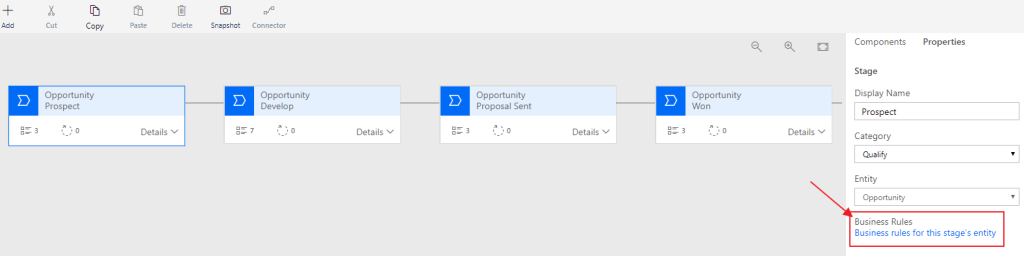
Open the Business Process Flow from your solution and notice a button at the bottom right “Business rules for this stage’s entity”.
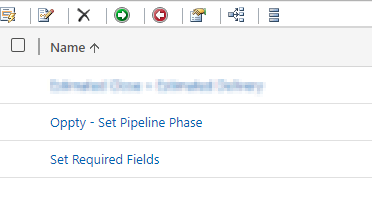
Create a new Business Rule for Opportunity “Oppty – Set Pipeline Phase”.
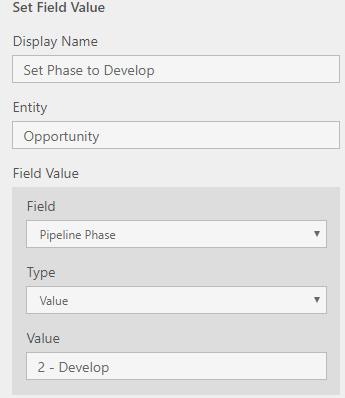
For the first condition we check if the BPF is in the stage named Prospect.
If true, set the Pipeline Phase to “1 – Qualify”.
Repeat for the second step!
The business rule should look something like this:
Result
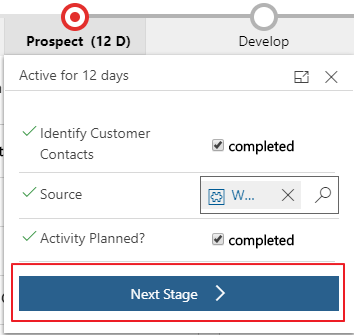
Let’s get back to the Opportunity. We see that it default is active on the Qualify stage in the beginning of the sales process.
Click the next stage
And there you go!!
New Found Love
So what do I think of the BPF now? Honestly, I liked it. It might be a replacement for many other JavaScripts that I have been using the later years, and that is only a good thing. In this case I was able to skip JavaScript and therefore deliver a solution with a low technical footprint:)
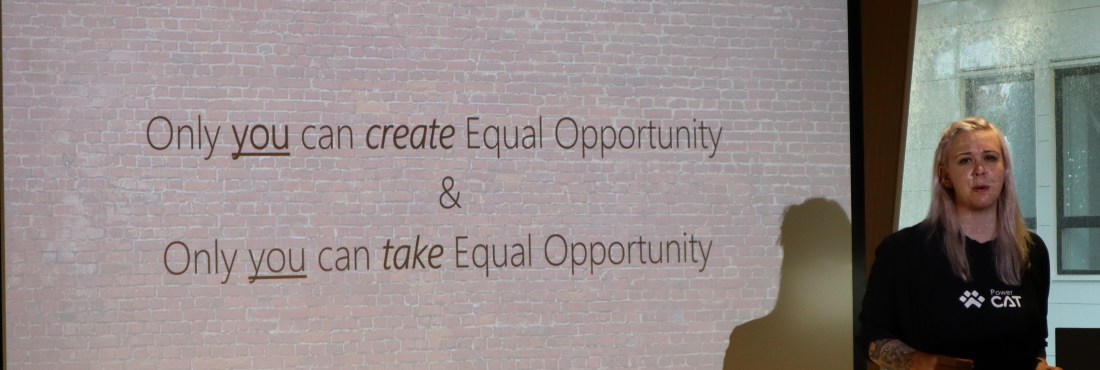
Sarah and Marius were speaking of Equal Opportunity. A highly interesting topic that is as relevant today as ever before. One slide caught my eye that I really liked.
Take ownership of your own environment. Don’t wait for others to create an equal opportunity environment, and then complain if they don’t. If you see the chance to own a situation, take it.
If there is a table you want to sit at with a chair, take the chair and sit down. Don’t wait for others to offer you a place at the table. You take it if you want to be a part of it!
Sarah Critchley (quote as I could remember it)
I have grown up in a family where the women are strong, have great educations and excel at their jobs. I am sure they have faced issues along the way, but they keep claiming their place at the table every time they can.
Malin Martnes – Extending Talent
I am sure you all know how proud I am of Malin, so I couldn’t go without writing about her. Talent is not a product with lots of customers yet, but we are working on a lot of exciting opportunities at the moment. We are always in the challenger position when talking about this product going head to head with companies that have delivered HR for many years. This often ends up in a function feature comparison, but one thing we now can focus on is the ECO-System.
Talent integrates to the CDS, and therefore we can leverage all of the cool features of the PowerPlatform. Malin showed a lot of cool examples where PowerApps were assisting in the hiring process.
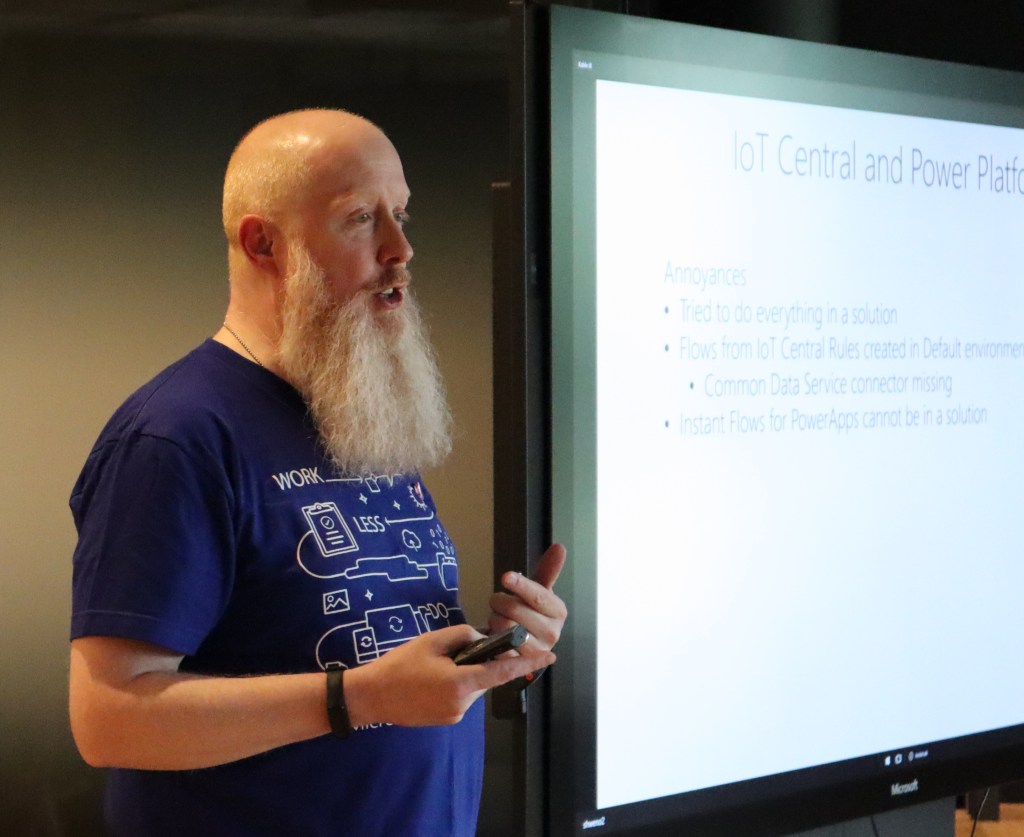
What I liked about this session was hot interactive it was, and how “low code” he was trying to make it. I gained some insights to the IOT challenges when gathering messages in different ways. Also I see the impact of having a device you can pass around in the room that is working while presenting. It was showing live data on the screen, presenting different messages to us as we were passing it along. He later posted the slides on Twitter
Jukka Niiranen – Canvas vs Model
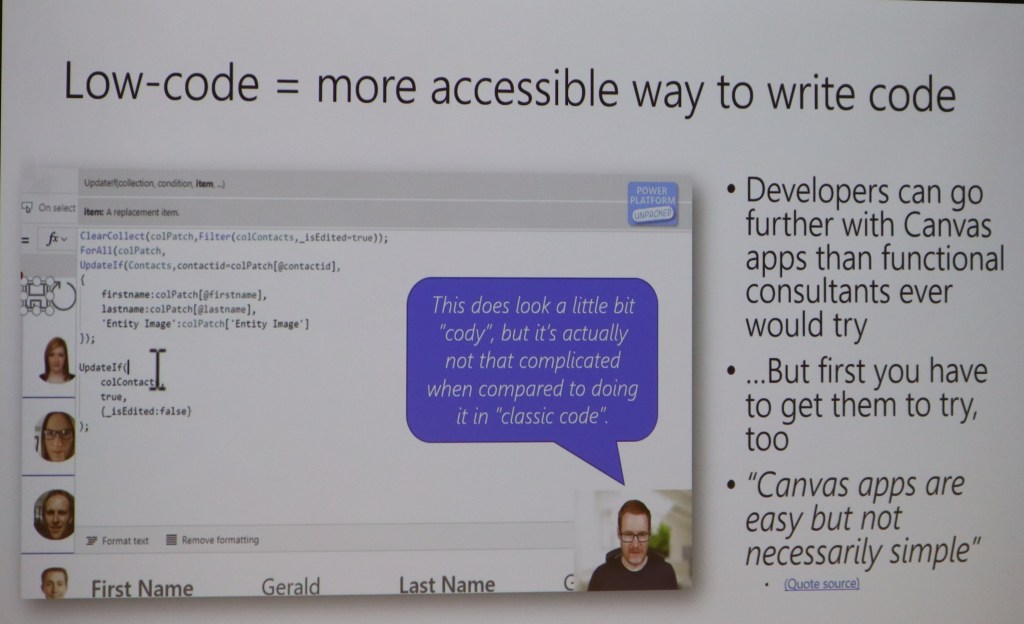
I find it interesting to listen to Jukka. He is like a rapper’s lyrics when talking. There is often some deeper meaning to what he says if you listen closely. During this session he was open and honest about his view on the Canvas apps, and the battle Canvas vs Model is now facing. Will we ever get to the point where these 2 become 1? The answer is most probably, but how!! 🙂
He also had a wonderful slide with the great Scott Durrow in focus. I think we all agree that Canvas is absolutely becoming a code app, even though it might not be complex code. As a functional consultant I say code, but a developer says “cody” to the syntax;) hehe
Mark Smith
The pictures bellow are from Mark’s session. I really loved this session because he made the participants work! The topic was CDS modeling and what you should think about. He made it clear what was out of the box, and how you should begin to think about creating new models not based on the standard applications.
Anything interactive like this is just AWSOME. The participants loved it, and had a great time while working together on the data model. Interactive learning is the best way to learn.
So in conclusion, I had a great time at this event. Hope to repeat this again next year in Oslo. I also hope to see you all again soon:)
So Power Platform Oslo was a unique experience for me, since it was the first time I was on stage at a community event. Marius Agur challenged me to create a presentation that would showcase my view of Dynamics from a business perspective. I am not the most technical person, so I try to create solutions based on simplicity for the end user within a “do it yourself approach”.
3 ways the Power Platform can increase user adoption
I was using our own company as example for this demo, and demonstrating the issues we have had when migrating from HubSpot to Dynamics 365. A journey with lots of bumps in the road, and long nights to figure out the best solution.
1. Connecting Flow to API
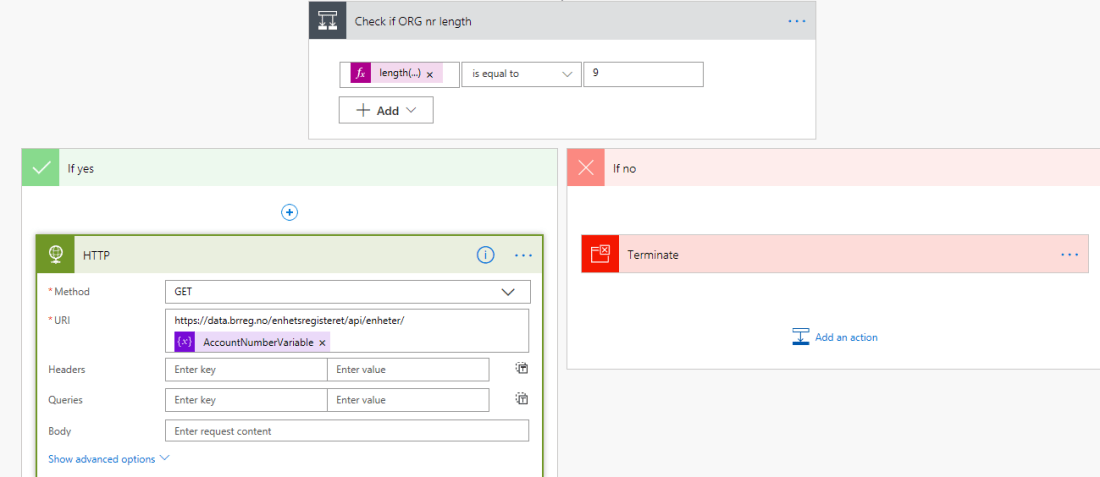
Part One showed how we can connect flow to an API and receive real time data from sources like Bisnode, Proff.no or in my case BRREG. I will blog about how to do this soon.
2. Creating a PowerApp for simplicity
Part 2 was showing how you can create a powerapp to simplify not only the user input, but also create a bridge between those who don’t like Dynamics CRM, but accept using a PowerApp, because it is new and fun. Blog about this will also come soon.
3. Integrating to onpremise data source
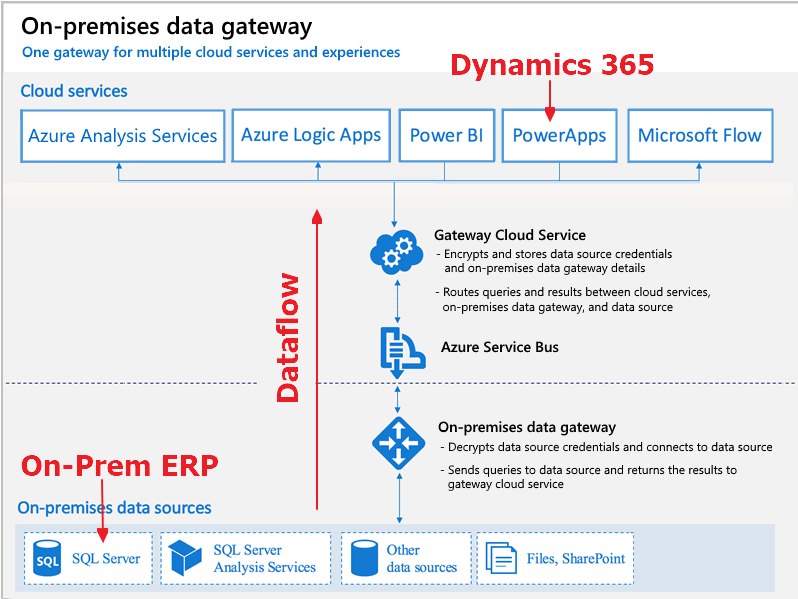
The last step was showing how we could integrate our CDS/CRM solutions to an onpremise ERP solution without a single line of code. Read more about hit HERE
People to thank
Chris Huntingford: @TattooedCRMGuy I would never have even thought of doing community or personal exposure if it were not for your exceptional outgoing personality motivating me when you where in Oslo. I know it sounds odd, but I wanted to be like you, and spread excitement and joy to others. Somehow you made something in my brain say “why not” create a blog and speak my mind! MASSIVE thanks..
Megan Walker: @MeganVWalker Getting to know you and understanding how you use the tools in regards of blog, wordpress, youtube has been very important. You were also so kind to be my first interview subject 🙂
Mark Smith: @nz365guy Thank you for hosting the 90 day Mentoring Challenge. Even though you were speaking to the masses, you make it personal to participants. I have also shared many conversations with you that mean a lot to me. Thank you for guidance in som many different levels in regards to creating a profile. I might not be the fastest at getting everything done, but I will get there.
Malin Donoso Martnes: @MalinMartnes Thank you for being persistent in your work. It inspires others to try:) You gave me the final push to submit my talk, and I don’t regret it!
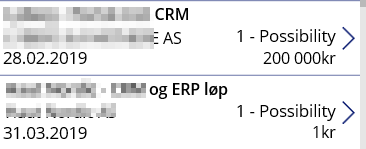
So far I feel that currency formatting in PowerApps seems to be a little troublesome. Sure everything would be great if we all sold in $ and our offers were all huge! All of the examples out there are based on this. I needed to represent values at 1 NOK and up. In Norway we don’t use “,” for separating thousands.
I am sure there are simpler ways of doing this, and I am hoping someone can fill me inn:)
For me I need to format PowerApps currency NOK. I have tried manipulating all of the above with no luck at all. Have no idea what I am doing wrong, but that doesn’t matter. I finally found one that worked for me
One confusing obstacle with a new CRM system, is the connection between Dynamics CRM and SharePoint. As a consultant I often have to demonstrate what is really happening behind the scenes to justify why this isn’t straight forward. We have to tell the customer about different folders, different entities etc, while they simply don’t care. They just want it to work together.
One particularly interesting point is when they move between entities. Why can you work with documents in the Lead, and when you navigate over to Opportunity, you no longer see your sales documents? Technically I understand why, but from a functional perspective I understand the customer.
Recently I ran into this scenario when implementing Field Service. Sales produced documents what were important throughout the whole cycle Sales -> WorkOrder -> Assett. Navigating between the entities takes to long, so the challenged me to find a solution.
FLOW TO THE RESCUE ❤
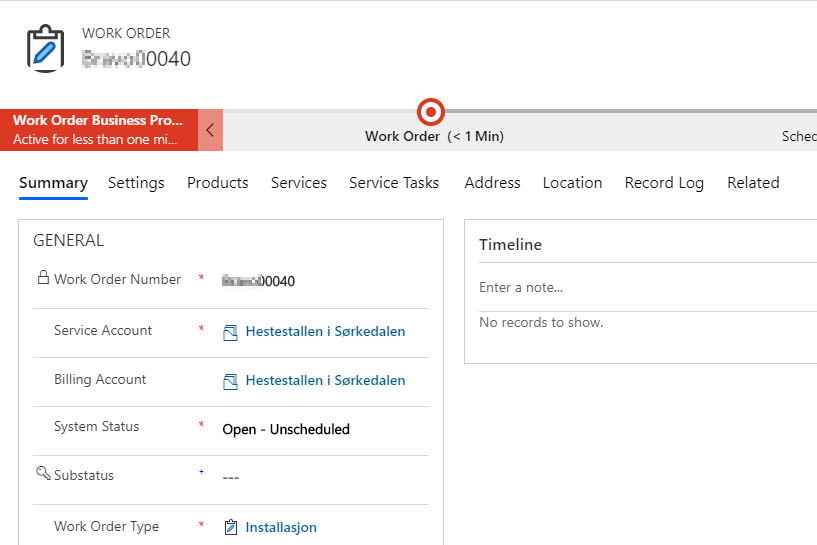
When the opportunity was done, we needed to create 1 or more WO in Field Service. Important factor was to maintain all the work done in Opportunity with the documents, so the Field Service Technicians could see everything in one entity (WO).
Challenge: When I create a new Work Order from Opportunity, I need to copy the document location from the originating Opportunity.
Flow begins with a simple trigger. When a WO is created.
Then I check to see if the related Opportunity contains data. This is just to make sure that the WO actually is created from a Opportunity.
Then I needed to get the document location regarding the Opportunity. As you can see here I am only returning 1. There won’t be any more document locations on Opportunity the way they are using it now. If you wonder how to filter, check my other post LIST CDS RECORDS IN FLOW
This is where I create a new Document location, and set the Work Order as regarding. Flow will automatically add “FOR EACH” to loop through. In my case it doesn’t matter, because I only have 1 document location from Opportunity.
What the user sees
This is a new Opportuinty
The opportunity has documents related to it.
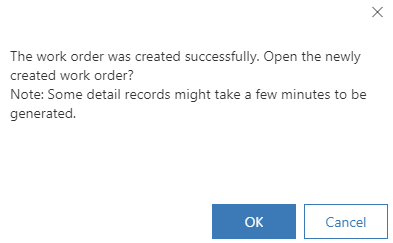
I then convert the opportunity to Work Order via the button in ribbon. I get a message when this is complete.
I open the document location of Work Order, and VIOLA, the same documents.
Personally I love finding quick wins like this that mean a lot for simplicity. Any CRM application will be complex for the end user, so these parts help:)
Power Platform is maturing rapidly, and users are really loving the new platform for citizen development. The only natural thing to do for Microsoft was to alter the licensing model now that they see how users are working with the platform.
Normally I am the first one to hate on all changes, but this time I am not sure I hate it. I am actually seeing some opportunities here that I didn’t see before.
I am seeing this from a Dynamics perspective, and not Office. There are 2 different ways of viewing this change.
From what I read, we can now setup a 10$ pr user pr month and create a sales app with both Model Driven and Canvas AND Portal. Within the app we are also capable to run as many flows as we want without the need for a FLOW plan.
You might still need one Enterprise or Proessional license in the bottom for the entities to be installed on the CDS, but after that you can create your own simple apps.
NB! I am sure that Microsoft will introduce some other restrictions later on to separate the apps (Sales, Customer Service etc), but currently this is not the case.
There are several To-Do type programs out there, and everyone seems to have their own preference to what is the best tool to use. I will argue why To-Do is the best one for Microsoft users, and why Dynamics and To-Do now makes sense.
A video of To-Do if you are not familiar with the application:
I use To-Do as a tool in my every day work with Outlook and Dynamics. For this to work it is important that you have naming convention in place when working with Dynamics 365 and tasks.
Opportunity
On the opportunity I add a task that has a due date. I prefer to not use the use phone call, because tasks are pretty much the same thing. In my company we don’t have a CTI integration, and we don’t report on number of phone calls.
Outlook
I am using server side sync in D365, so during the next sync my task will appear in Outlook with a view over my tasks. That is fine and all, but if you are like me, the reminders in outlook is full of tasks and calendars. It is too hard to keep track.
To-Do
Now if you open To-Do, you will notice that it also has the list of tasks from CRM 🙂 Because there is no integration with Dynamics lookups, I use the names to remind me what the task was regarding.
When done, I close the task, and CRM is updated with a complete task.
To-Do is available as applications on all devices, and that is why I favor this application. They are continuously adding functions, to integrate it further with all Microsoft products. They are also working on integration with Planner so we can use one app for all tasks no matter where we are!!!
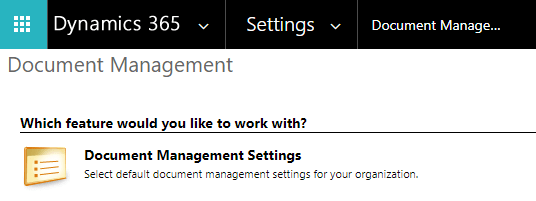
The SharePoint standard connector will work for customers with simple needs for collaboration. There is a Teams integration available soon, and I will write about that once it is released in Europe.
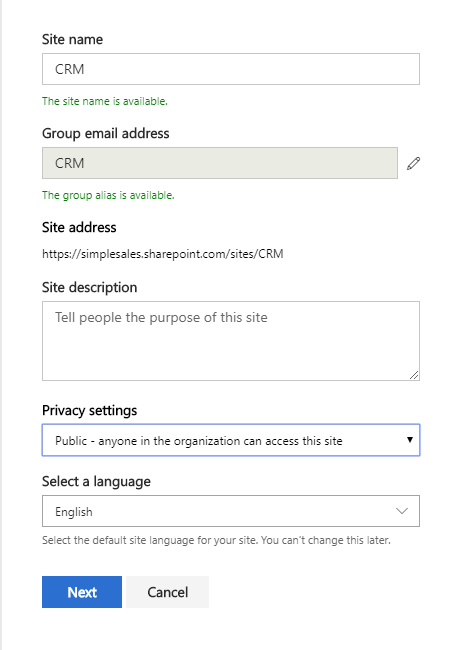
Start off by creating a new site in SharePoint. I prefer to create everything on a new site, because then we can control the site better.
Copy the URL of the site before you move on back to CRM.
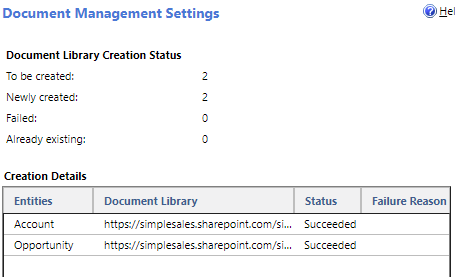
I prefer to create folder for the entities Account and Opportunity. Remove all the other entities in the simple demo (not that it really matters).
I prefer to have a structure based on account. This will create opportunity folders bellow the account folder.
If it all worked out, you can now open an opportunity with account connected.
Opening the document on opportunity will now give full access to storing documents in SharePoint. I will write an extended blog about considerations to make when integrating this to Teams later.



























 CRM Keeper