The purpose of this exercise is to see tracked items in outlook that provide an important visual aid for the user. Why this is not default on I honestly don’t know.

Download the OrgDbOrgSettings tool from GitHub https://github.com/seanmcne/OrgDbOrgSettings/releases/

Navigate to the solution import of dynamics, and for now you have to use the classic view! notice the force classic in the URL.


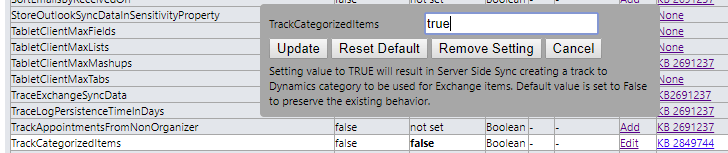

You will now be able to see items as tracked in Dynamics 365
Discover more from CRM Keeper
Subscribe to get the latest posts sent to your email.

 CRM Keeper