When Microsoft introduced Azure for the Microsoft public, it was a new way of thinking. We were suddenly paying for what we needed and when we needed it. Amazon had been there for a long while, but for Microsoft customers this was a new way of thinking. After a skeptical start, this model has really become somewhat of a system standard.
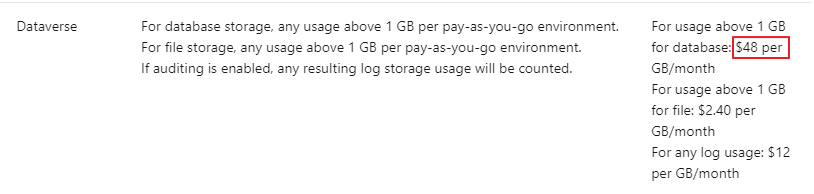
As of today Power Platform will be available on Azure subscription! It is being introduced as a “Pay as you go” model. It is important that you don’t mistake this for the same as Azure. In Azure you actually only pay for the compute time used (in most cases), but here you will pay for a license once you use an application.
WOW THIS IS SOOOO COOL … Well, is it really?
Let’s just think about the following first. Just a few weeks ago Microsoft dropped the prices to half of what they used to cost. They are now only 5$ and 20$ for the different plans. When you think about the value you get from a Dataverse OOTB that is a BARGAIN already.
So why am I not overly excited about the “Pay as you Go” PAYGO model? Well, I don’t really see the big impact yet. Most of my customers are on the CSP agreement, and can flex as much as they feel for. Planning ahead for apps is also hard, and is counter intuitive for innovation. By releasing a plan as PAYGO, you essentially need to plan financially for all users that might use an app, while you silently hope that not all users actually use the app that month. For every user that didn’t use the app, you save some money.
I am sure that the plan makes sense for many scenarios, but I just don’t really see them yet. The good thing is that “limitations/possibilities” for the new plan will be monitored closely in the beginning to find the correct levels for all types of use cases. Remember to voice your opinion if you see some great opportunity. Microsoft will be listening😀
The only thing that we know for sure is that licensing will always be a situation where we as consumers want changes. We want more more more, and want to pay less less less. Microsoft will continuously find new license models to adapt to our wishes while finding ways to keep profits. Don’t get me wrong. I am all about Microsoft being able to charge what they want. After all it’s a great product!!! I’m just saying that you need to look behind the shining stuff before you automatically assume that everything new is automatically better.
What you need to do as a customer is get help to assess assess your licensing situation. Not only is licensing complex from a rules perspective, but the applications can be modified to adapt to licensing changes. I am not saying PAYGO is bad, but I’m not jumping on the PAYGO train quite yet. Most of my customers are CSP customers and have a lot of freedom with licensing (Up and Down). Just going to see what happens first 😁
I might also have misunderstood quite a lot in regards to the benefits received from this model, and if so I would love feedback to learn new ways of thinking!👌
In my last post I wrote about Adaptive Cards in Teams, but a vital factor for that adaptive card to be interesting is the content on the card. Dynamics 365 Sales Adaptive Card🚀.
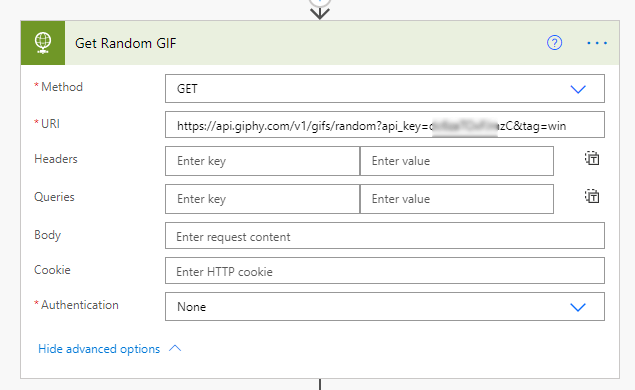
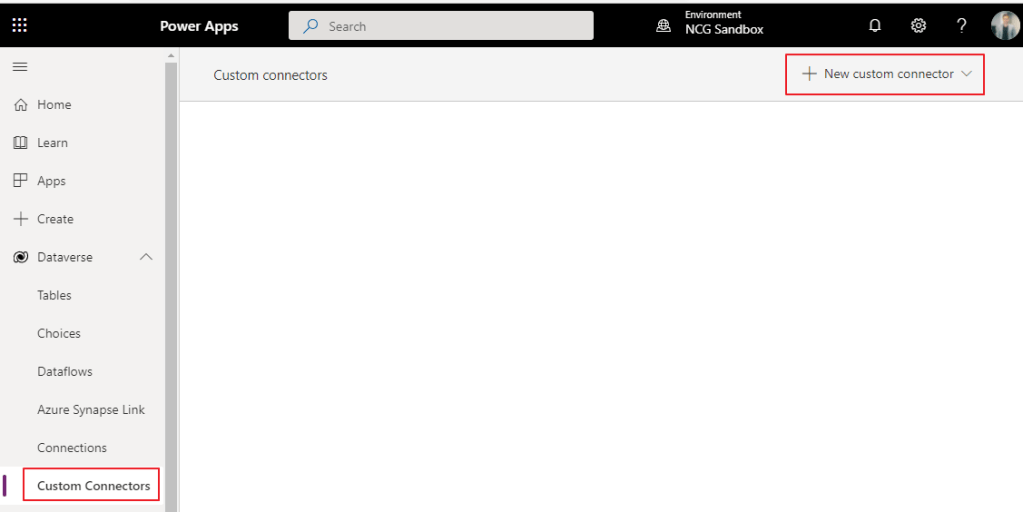
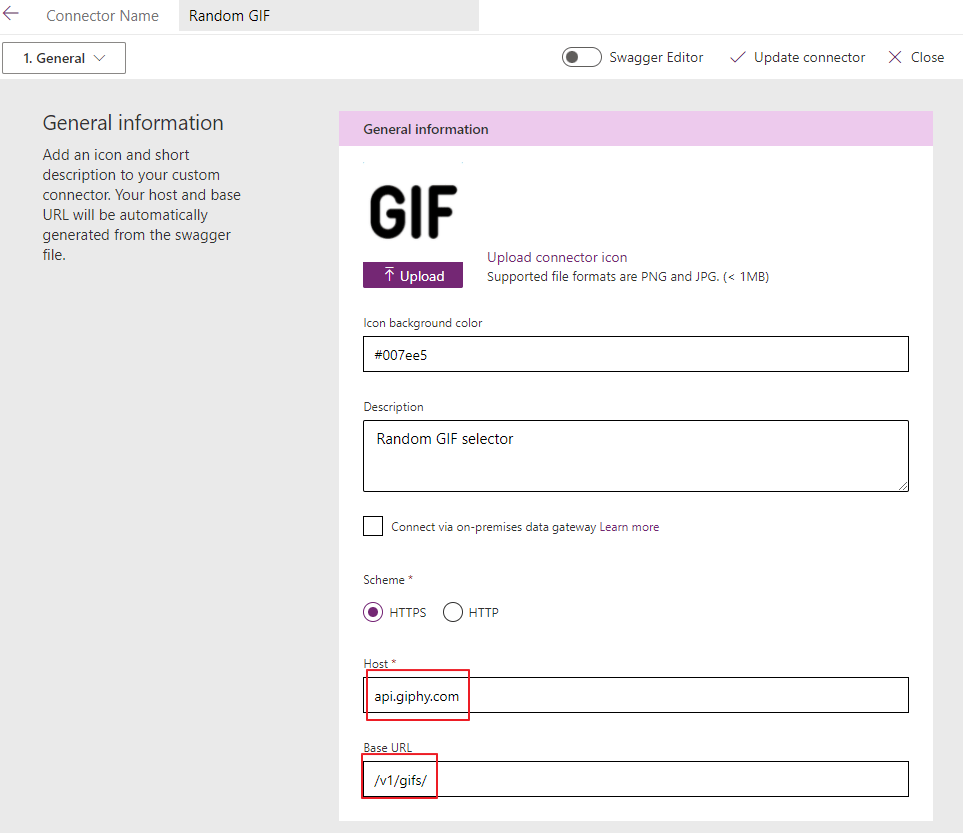
One of the technical bits last time was connecting with an HTTP GET request to the API. I will be using the same information to create a custom connector so that anyone can reuse for the future 😁
Step 2.. Break down the URL from the first picture like this
Step three… If you don’t really know how to do this, ask a friend!! 🙂
Step three again.. Enter the security settings. When entering the security settings and providing something more than blank, you will be prompted with the credentials first time you create a connection to the connector.
I broke the URL down further with the “api_key” as a query, so that it would show in the URL like the example on the first picture.
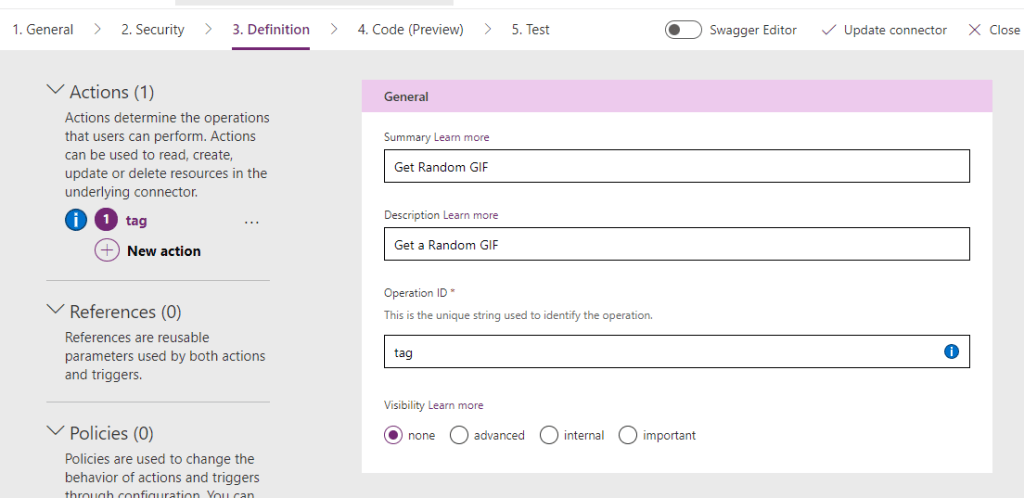
Step four.. Create a search tag like the one I had in the URL from the first picture
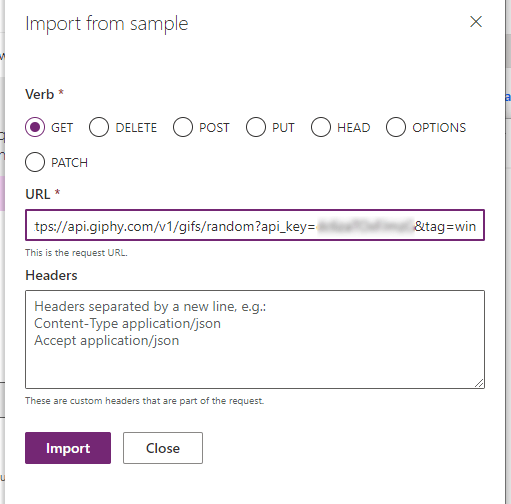
Step five.. Get the URL from the first picture with your API key, and add this to the import sample
Choose the GET in this case, and add the full URL
Your request should look something like this:
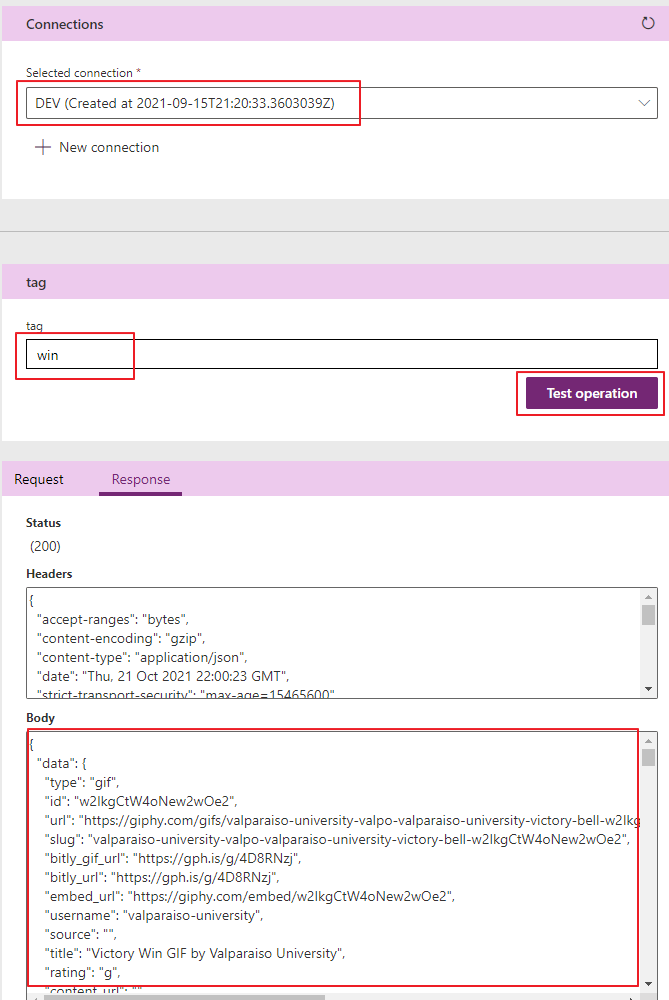
Step 6.. Add a connection to the connector and test with a tag. It should return some info like this:
Result
When you are done, you have a custom connector you can reuse from Power Apps, Flow or any other tool that can use custom connectors.
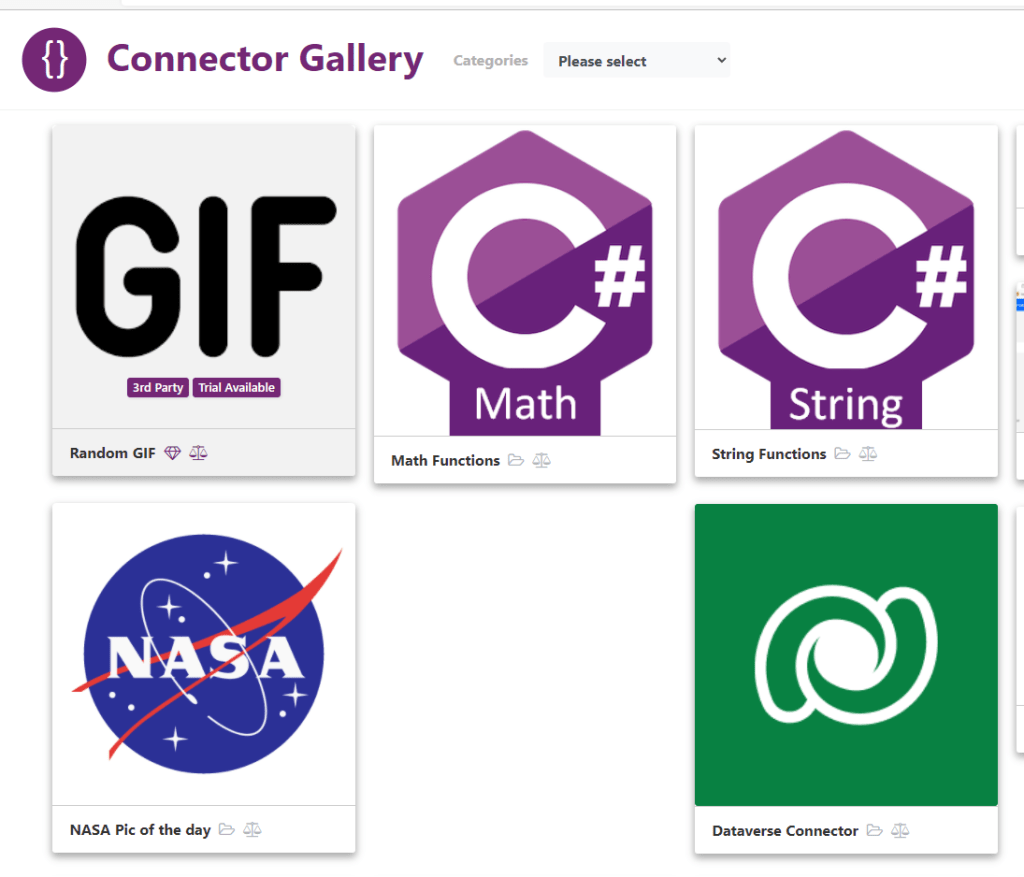
Connector Gallery 🌌
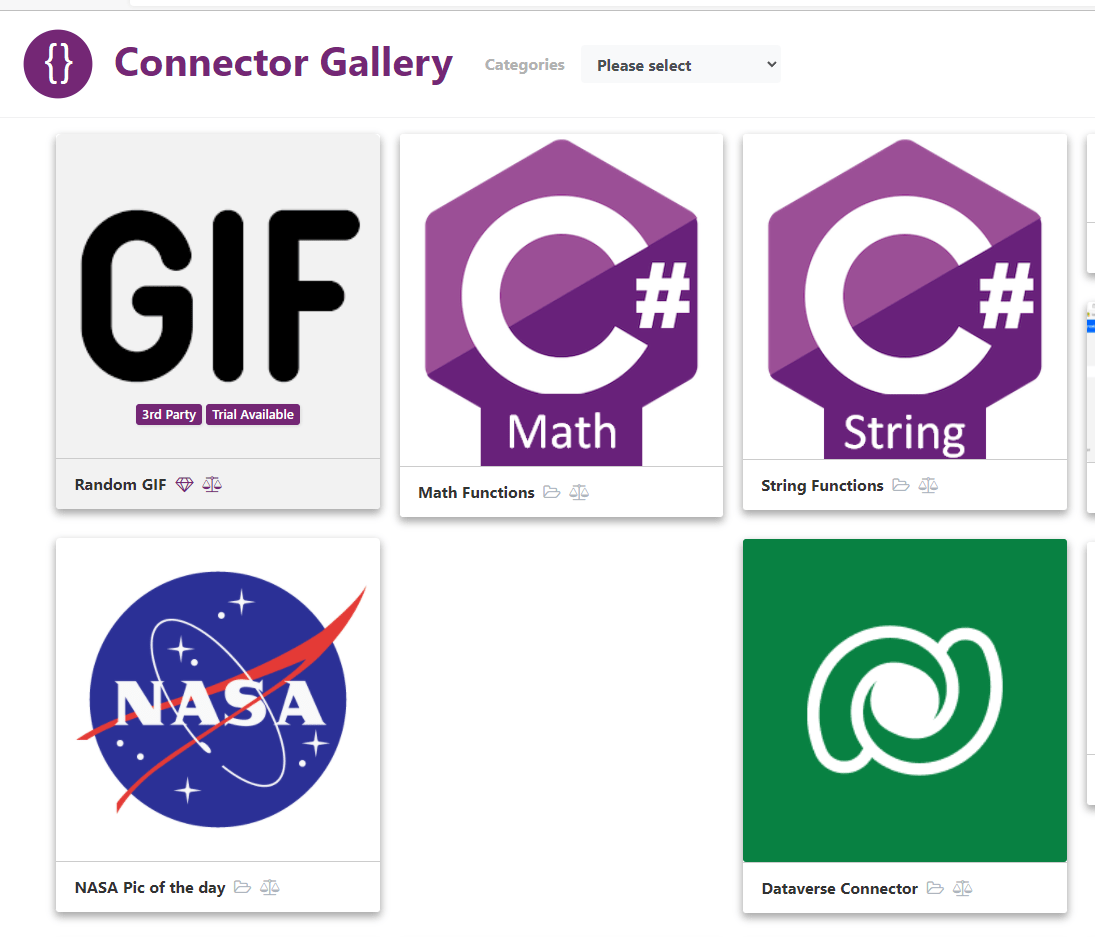
What better thing to do than release this to the https://connector.gallery when you are done creating a new connector?? :😁💪🥇
By now I hope most people know the https://pcf.gallery (run by Guido Preite). A great page for sharing community components (PCF) and exposing awesome contributions to the rest of the world. 🌎
What I like about the PCF Gallery is the simplicity of the site only being about PCF components. This is why I asked Guido if we could create a similar site for other components regarding the Power Platform. He was so kind to share his code for the project, so Matt Beard and I decided to give it a go. 🤗
Connector Gallery
First out in list of future galleries is the CONNECTOR gallery . This site will contain all sorts of custom connectors for Power Platform that you can share with the community. If you want to contribute to this gallery, you only have to share the custom connector file you have on GitHub, and we will post it out!
Launching a new app or launching a new CRM system always leaves the users with the same question. Where do I find the application? At first I didn’t really understand the question, because I thought it was natural to bookmark the URL to your application ie https://www.company.crm4.dynamics.com/***** etc.
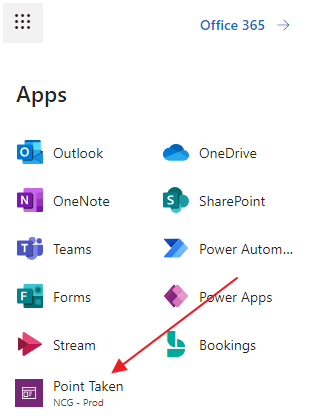
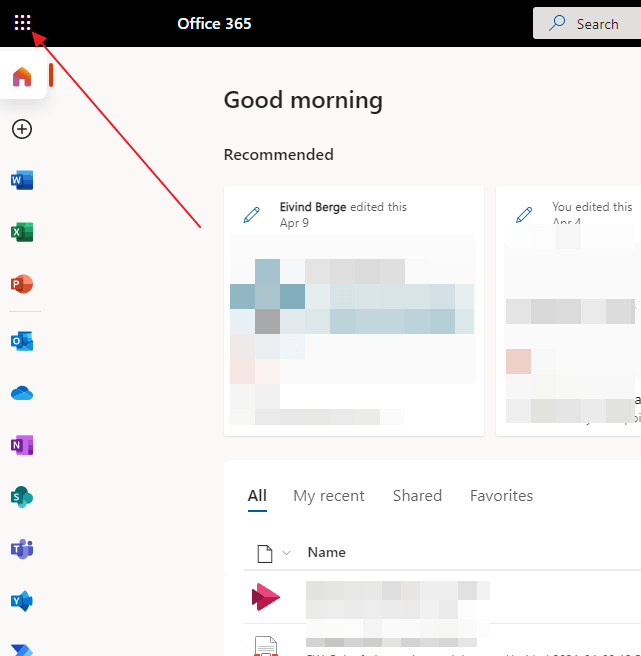
Eventually I realized that most users are actually using the waffle menu in office 365 when navigating to applications that they don’t use continuously.
They were expecting to see the application in the list when you clicked the waffle menu, because this would save them time.
Luckily this is not a problem 😊 Open the all apps, and locate the app you are looking for
And just like that you now have a quick navigation to your CRM or Power App application in the Microsoft 365 app launcher👊
WOW… Simply WOW. It’s the best way to summarize this years hackathon.
Normally this 3 day hackathon is situated in the beautiful hill of Holmenkollen, but this year we were forced to go online for obvious reasons. One little difference we did do was to open up for teams to gather locally at their companies offices. This way we could add a social factor within safety regulations without having to keep everyone 100% at home office.
We decided to have a participation fee for the event, and everything that was extra would be given to children’s cancer www.barnekreftforeningen.no ❤
This project has consumed most of my time the last few months being a part of the committee, and getting it all together has not been easy.
We were 5 teams total and almost 40 participants that dedicated 3 whole days of fun where this years topic was LEGO.
Teams were from: Point Taken (Point Taken Brixters) Avanade (Orange Panthers) Albatross (The Merge Conflict) Skill (Klossmajorene) Felleskjøpet (Cowders)
Our team decided to create a Lego City where IOT sensors controlled it all. I will write more about the geek stuff in my next post, but this might give you some hint:
Winner of the tournament was Felleskjøpet, that simply were superior in this years technical setup and performance. Read more about their solutions in the ACDC BLOG!! 🙂
This post confused me way to much. Nothing seemed to make sense, and the only thing I could focus on was the extremely odd name Dataflex.
What about the name….
A quick online search shows that the name is already in use. Not only is it in use, but it is used by a competitive product offering low-code development! How on earth is it even possible to miss out on this?
This sounds like a whole new SkyDrive – OneDrive problem, so I’m going to wait a bit before I rebrand everything to Dataflex
The voice of reason
My mind has been twisting and turning to understand the reasoning of it all of this, and luckily we have Jukka. His post is what Microsoft should have posted originally. It explains everything I was wondering about….. Except the name 😂
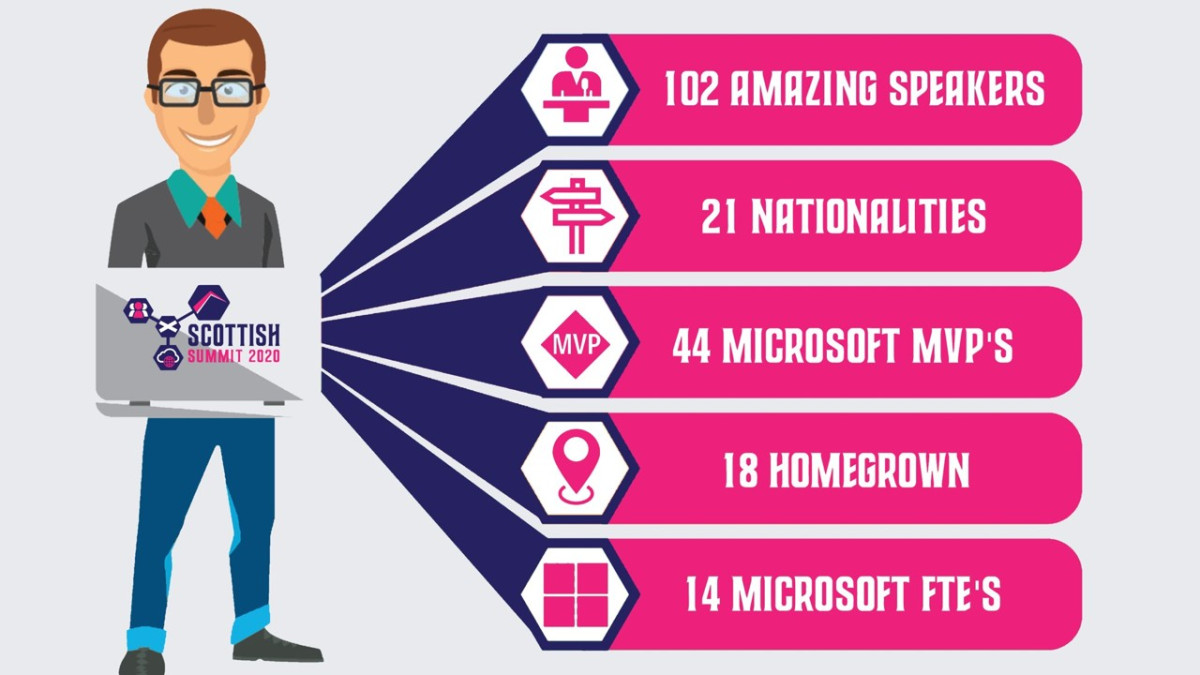
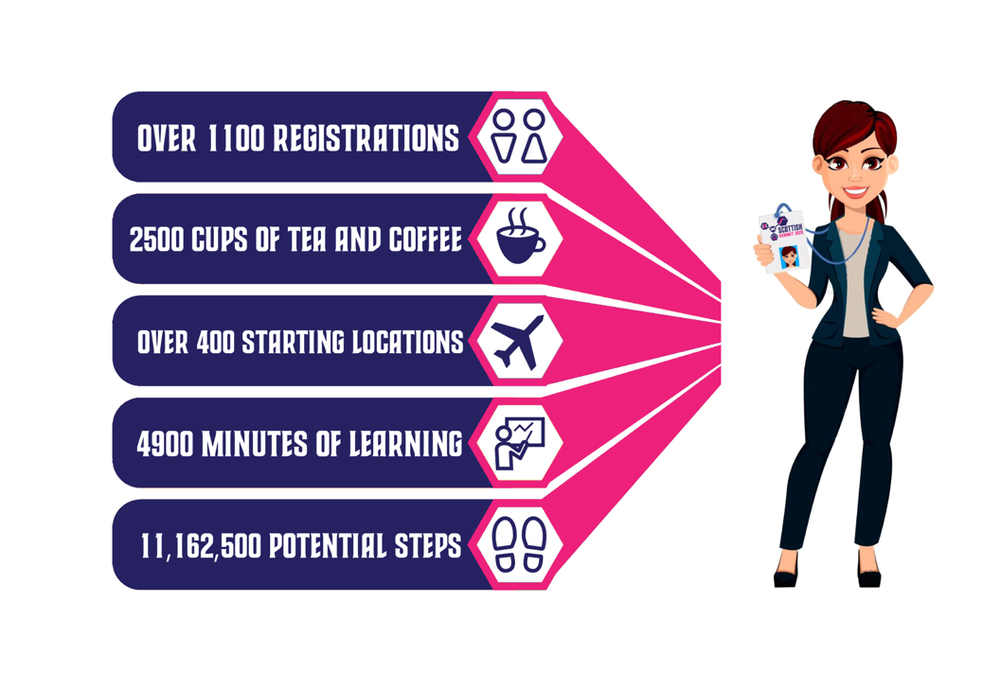
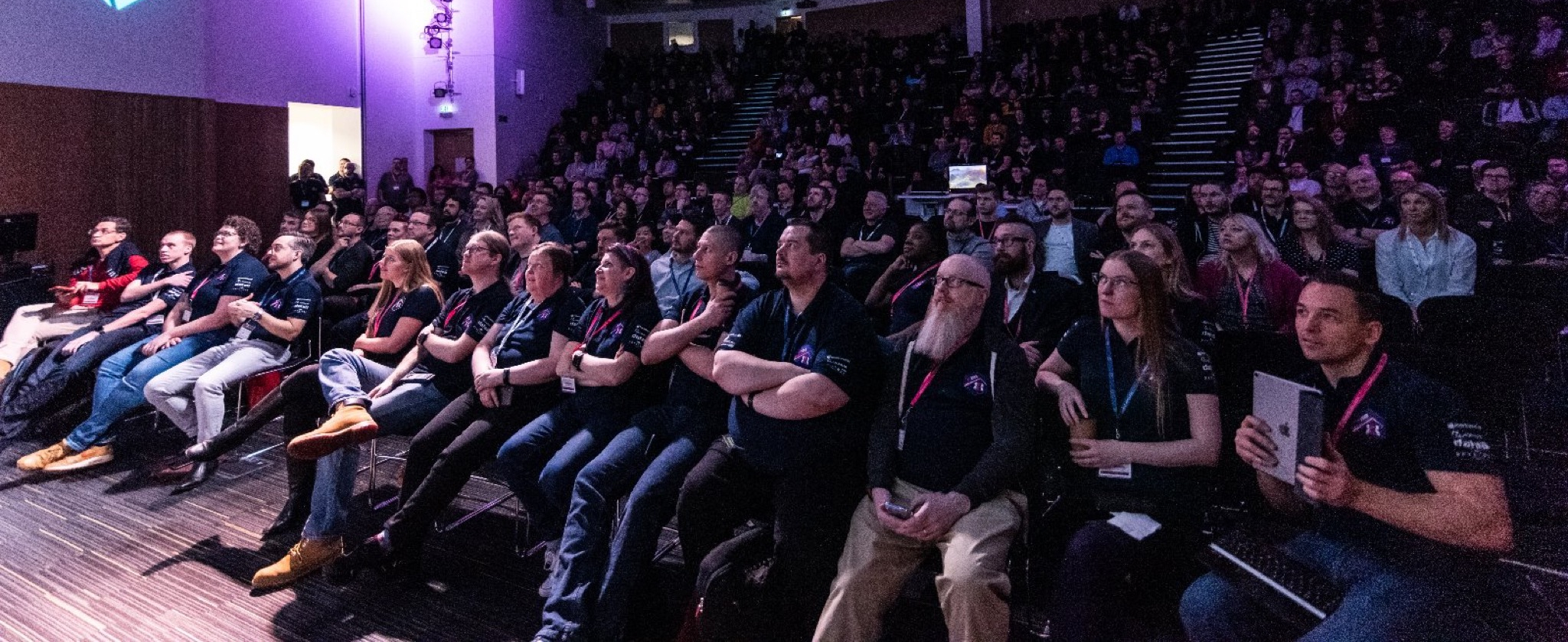
Scottish summit was really impressive, and that is probably why you see everyone writing about it. There were so many sessions to attend, that it was impossible to be everywhere. That is why everyone has a different experience of the summit. That is just to say how extremely big it was!
Mark Christie and Iain Connolly…. Well Done!
Keynote – Jon Levesque
Picture from Marijn Somers
Kicking of the keynote was Jon Levesque entering the session on possibly the coolest way ever, and wearing a kilt accompanied by bagpipes
Jon is a great speaker. His talk was about personal transformation, and how he had gotten to where he was today. Believing in himself and setting a goal in his life. He wanted to get payed for talking. Given his current role in Microsoft, it is clear that he has come far with his goal.
He also time to talk about Samit from Heathrow (recent addition to the MVP family), and how his transformation from a security officer at the airport to one of the communities leading entrepreneurs in power platform.
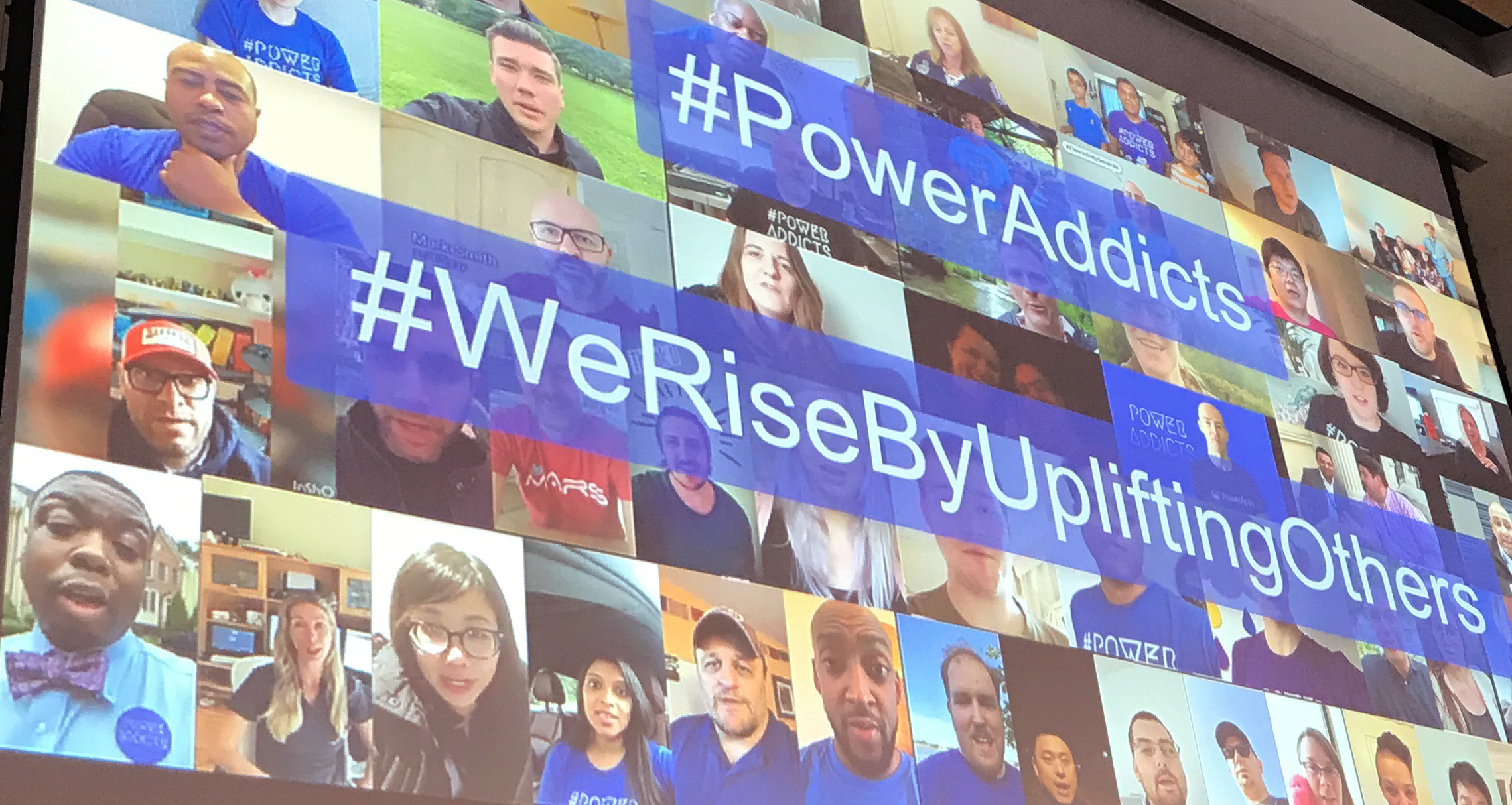
He completed the keynote by talking about the community and the #PowerAddicts. The community is seeing a spike in participation that is just unreal. So many no-code / low-code enthusiast out there that love sharing knowledge. I have been in Dynamics since 2007 and I have never seen anything like it before. Sharing knowledge has never been so important, and I am glad I get to take part in it.
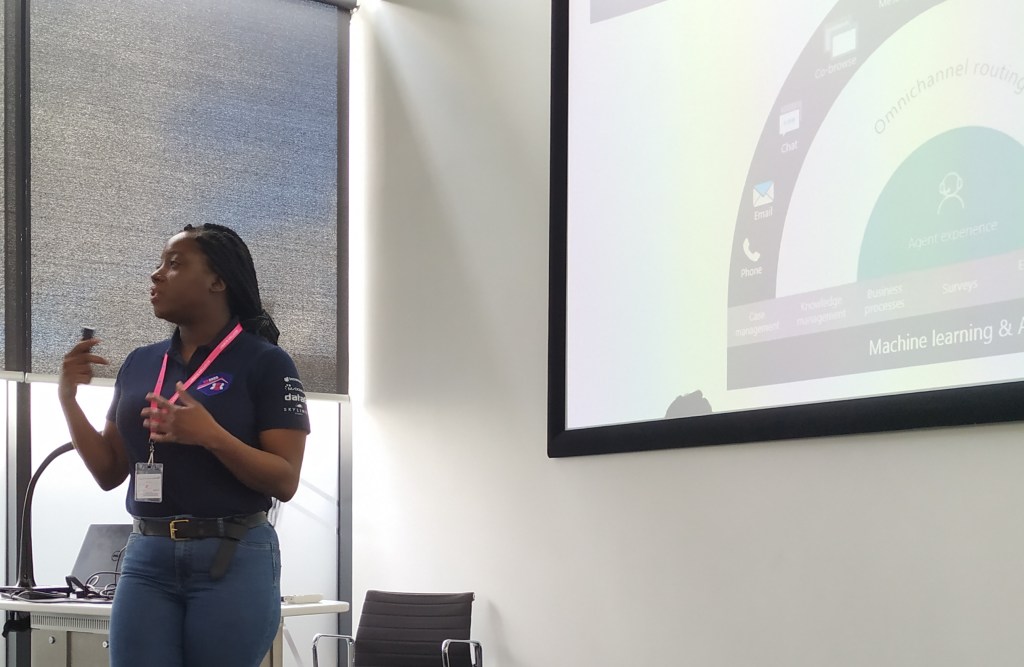
Tricia Sinclair – Omnichannel
Omnichannel is a fairly new product in the Dynamics family, and many people consider it USD’s little brother. I would say that the project is smaller than USD, but in functions it is amazing!
Smart Assist (really cool) on the right side of the panel reads the chat dialog and gives live suggestions to help the agent. In her example she mentioned a meeting, and the smart assist suggested to setup a meeting with the client. Things like this can be a major time saver and great help for the agents.
The best thing about this product is that many of the settings require very little configuration. Microsoft has produced something that is very similar to an actual product that delivers value from day one. I believe this product will fit both large and small companies because of the configurable setups. I would definitely set this on the “ONE TO WATCH” list for the next months.
Tricia is extremely knowledgeable about Dynamics, so it is just relaxing to hear her talk about it all. There is no doubt about what can or can’t be done.
Seriously, I really want a project where I can use this tool. Connect with me if you want to be a trial customer for a good price:)
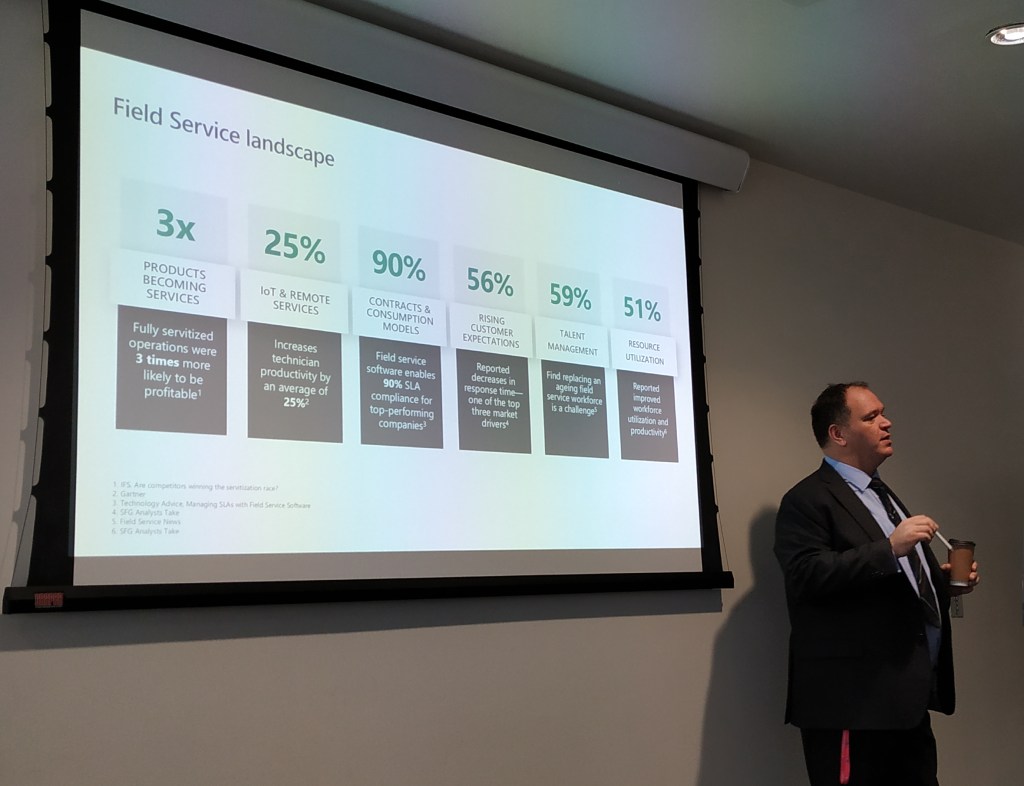
Ben Volmer – Field Service Business Value
In Europe we wonder if Microsoft ever looks outside the USA to see how the rest of the world is in scale. During this talk I really got into the mind of Ben and what discussions he is having with his customers. In short terms, everything is bigger there.
While Ben is talking about optimizing operations to save millions, I am still at the ABC’s in teaching what Field Service can do for your organization. Attending his session made me realize that I have a long way to go in order have a similar conversation with potential customers regarding Field Service optimization.
I learned a lot by actually not being able to relate to any of the business decisions that a Field Service organization in the USA (and large organizations) have to make. If you ever have the chance to go to a Ben session, make sure he indulges you in the business perspective of Field Service, because it put’s a lot of things into perspective. Functions and features you can read about in the release notes:)
Business models are changing, and old cost centers are now potentially the best ways of increasing revenue. Rolce Royce is no longer just an engine manufacturer. They now sell engines based on running time. This way the customer is paying for an active engine, and not the typical maintenance and support contract. This increases the revenue stream for the company by a lot, because the hardware business has lower margins now than ever before
— Thomas Sandsør | CRM Keeper 🇳🇴 | MVP (@CrmKeeper) February 29, 2020
Chris is one of those people you just believe was born to talk. I am sure he has worked his ass of to be where he is today, but if you meet him you will know what I mean. He is simply in the correct role for his personality, and I am sure he is one of the major contributors to the fact that UK has such a great community.
So what about his session? Well, it was mostly about momentum in the Power Platform, and how it has been moving the last year(s). Just look at the numbers under to be amazed.
The platform has transformed what used to be workers without power, to workers that now call themselves citizen developers. Microsoft has a goal to grow the number of citizen developers to 10 mill within a few years, and that means that you, me, and everyone out there will learn how to get more out of the data in the organization. This is good news.
Chris also has a smart way of defining the difference of Model Driven apps and Canvas Apps.
Model Apps is the Line of Business application that supports complex business scenarios.
Chris
Canvas Apps is not LOB, but is designed to support a specific workload for a specific role. This is where the citizen developer comes in. Instead of having to use developers to get great value, non technical people now get the power to create smart applications. We ended the session by creating a UFO Sighting app within 10 minutes, just to prove how quick it can be done. We managed to create both a Model driven app and a Canvas app in that time. Not many platforms in the world are capable of something like this.
Lucy Bourne – Surviving Networking
Lucy shared 20 great tips for getting better at networking. This session also related to the mental issues that some people struggle with when they are their own worst enemy.
20: Go get started, take the leap – Dare to do things you haven’t done before. What is the worst that can happen
19: Be ballsy, like Howie (ACDC) – Howie was a consultant wanting to participate at the ACDC hackathon in Oslo. He didn’t have a team, but gave it a shot anyway. He wanted to be a part of something where he could identify as “home”.
18: Make a plan for the year, sessions, meetups etc. What does it mean for you personally? – Being prepared helps you manage time better. Time is important, and when you improve your time skills, everyone around you benefits from this. Friends and Family should never be neglected when pursuing a dream. They should bee there as important assets in achieving a goal.
17: Work out where you want to start. – Find your clan. Find out where you want to belong, and what passions others share. Be inclusive and never think you are better than others.
16: Find your focus – You cant cover it all, and that is ok!!
Define topics and channels – Where is your passion? Work on it
15: Be Authentic – If people don’t like you for who you are, that is their problem. Don’t try to be something you are not. Unless you are an asshole, then you can change;)
14: Remember Empathy Not just listen, but actually listen #bekind
13: Meet people in their onlyness Everyone has their own story to tell, experience and challenge. Understand them and try to relate.
12: Dedicate time to research Figure out where people are talking, who the speakers are, topics they will be covering etc etc.
11: Follow up – Luise Freese has found ways of automating follow-up of contacts when at seminars. Using different tools to reach out while recording who you are. Find a method that works for you, so that you don’t forget.
10: Share the Love – Find something you like. Share it. Community is about sharing. Open up to others, and they will in turn open up to you.
9: Ask for help – Be the person who asks the question everyone is wondering about. There is always someone there that is wondering about the same.
8:Create your own mission statement How do you want to be perceived. Make it simple, but meaningful. That way it is easy for people to understand what your goal is.
7: Give it time One event wont make you famous. Tender love and care.
6: Find a Balance It can be overwhelming you being everywhere. Find inner peace knowing that not being at an event is OK.
5: Get the tools – About.me. Smart way of sharing your info. – Session questions (get customer interaction). Get the people in the audience activated
4: Remember inclusivity – Bring a friend – Be a friend – Be a matchmaker
3: Build your network – Talk to people, and figure out who they are. Don’t be afraid to approach people. At a community event they are mostly here for the same reasons.
2: Be a matchmaker. If you know people that might match, just try to help them meet.
1: Put your skills to the test Link up to local communities and try to be a part of it. All communities love receiving help. Most of the people are doing this at free will.
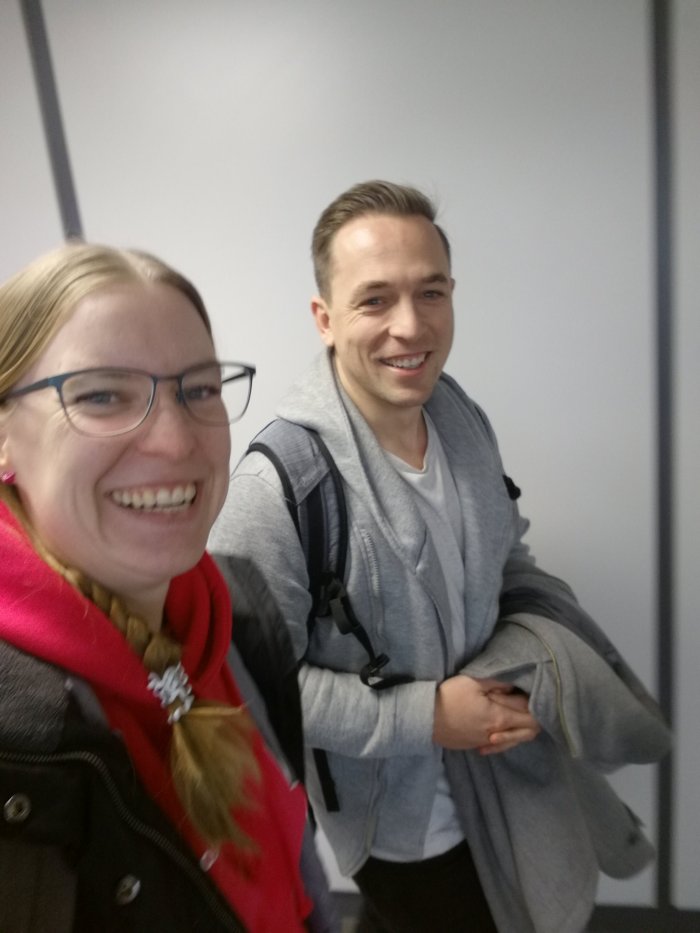
Random Pictures
What’s next!!!??
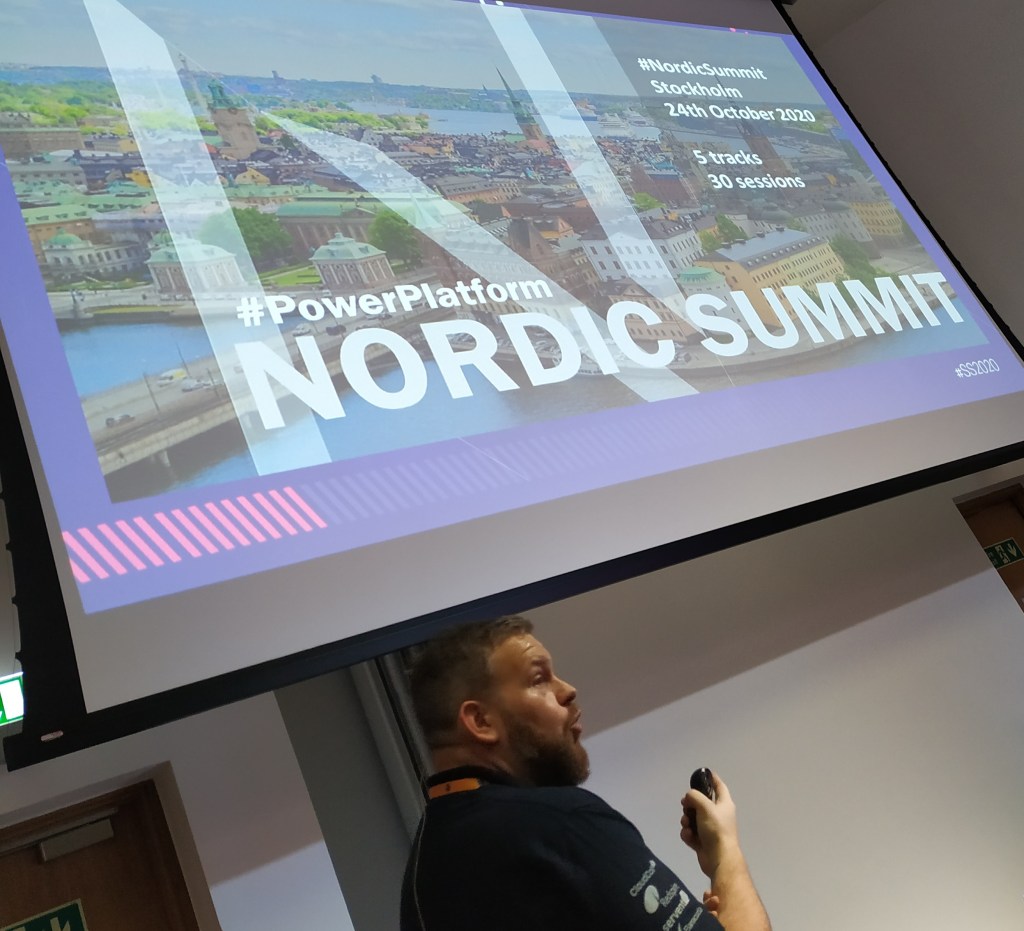
NORDIC SUMMIT is in October. Don’t miss out on this epic event…
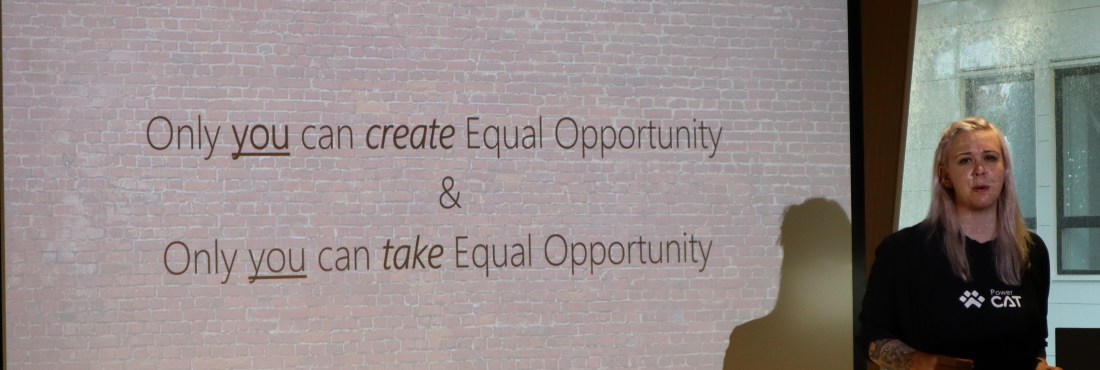
Sarah and Marius were speaking of Equal Opportunity. A highly interesting topic that is as relevant today as ever before. One slide caught my eye that I really liked.
Take ownership of your own environment. Don’t wait for others to create an equal opportunity environment, and then complain if they don’t. If you see the chance to own a situation, take it.
If there is a table you want to sit at with a chair, take the chair and sit down. Don’t wait for others to offer you a place at the table. You take it if you want to be a part of it!
Sarah Critchley (quote as I could remember it)
I have grown up in a family where the women are strong, have great educations and excel at their jobs. I am sure they have faced issues along the way, but they keep claiming their place at the table every time they can.
Malin Martnes – Extending Talent
I am sure you all know how proud I am of Malin, so I couldn’t go without writing about her. Talent is not a product with lots of customers yet, but we are working on a lot of exciting opportunities at the moment. We are always in the challenger position when talking about this product going head to head with companies that have delivered HR for many years. This often ends up in a function feature comparison, but one thing we now can focus on is the ECO-System.
Talent integrates to the CDS, and therefore we can leverage all of the cool features of the PowerPlatform. Malin showed a lot of cool examples where PowerApps were assisting in the hiring process.
What I liked about this session was hot interactive it was, and how “low code” he was trying to make it. I gained some insights to the IOT challenges when gathering messages in different ways. Also I see the impact of having a device you can pass around in the room that is working while presenting. It was showing live data on the screen, presenting different messages to us as we were passing it along. He later posted the slides on Twitter
Jukka Niiranen – Canvas vs Model
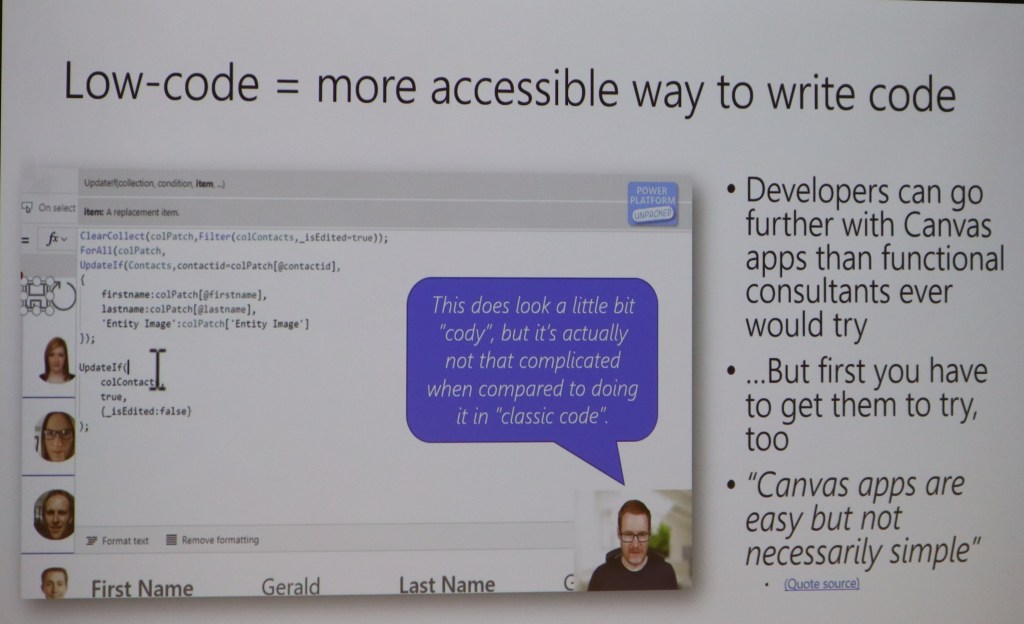
I find it interesting to listen to Jukka. He is like a rapper’s lyrics when talking. There is often some deeper meaning to what he says if you listen closely. During this session he was open and honest about his view on the Canvas apps, and the battle Canvas vs Model is now facing. Will we ever get to the point where these 2 become 1? The answer is most probably, but how!! 🙂
He also had a wonderful slide with the great Scott Durrow in focus. I think we all agree that Canvas is absolutely becoming a code app, even though it might not be complex code. As a functional consultant I say code, but a developer says “cody” to the syntax;) hehe
Mark Smith
The pictures bellow are from Mark’s session. I really loved this session because he made the participants work! The topic was CDS modeling and what you should think about. He made it clear what was out of the box, and how you should begin to think about creating new models not based on the standard applications.
Anything interactive like this is just AWSOME. The participants loved it, and had a great time while working together on the data model. Interactive learning is the best way to learn.
So in conclusion, I had a great time at this event. Hope to repeat this again next year in Oslo. I also hope to see you all again soon:)
So Power Platform Oslo was a unique experience for me, since it was the first time I was on stage at a community event. Marius Agur challenged me to create a presentation that would showcase my view of Dynamics from a business perspective. I am not the most technical person, so I try to create solutions based on simplicity for the end user within a “do it yourself approach”.
3 ways the Power Platform can increase user adoption
I was using our own company as example for this demo, and demonstrating the issues we have had when migrating from HubSpot to Dynamics 365. A journey with lots of bumps in the road, and long nights to figure out the best solution.
1. Connecting Flow to API
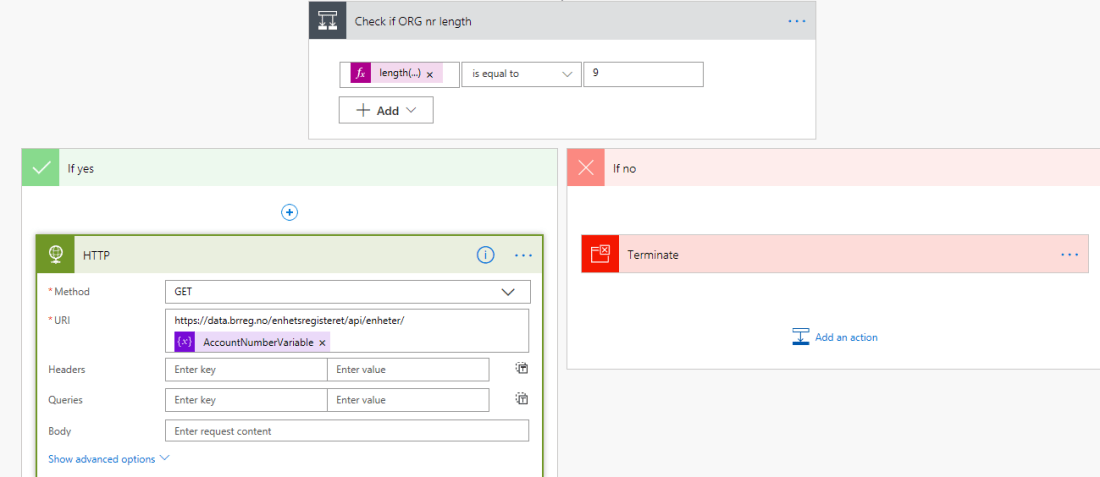
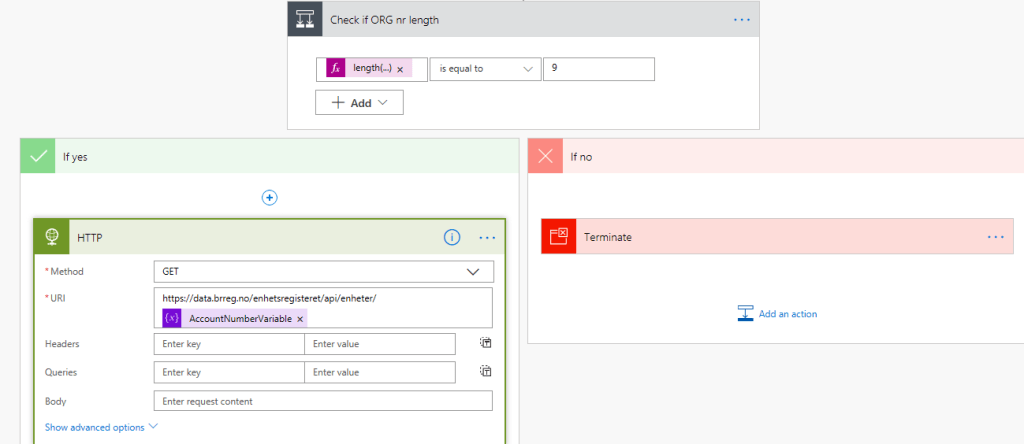
Part One showed how we can connect flow to an API and receive real time data from sources like Bisnode, Proff.no or in my case BRREG. I will blog about how to do this soon.
2. Creating a PowerApp for simplicity
Part 2 was showing how you can create a powerapp to simplify not only the user input, but also create a bridge between those who don’t like Dynamics CRM, but accept using a PowerApp, because it is new and fun. Blog about this will also come soon.
3. Integrating to onpremise data source
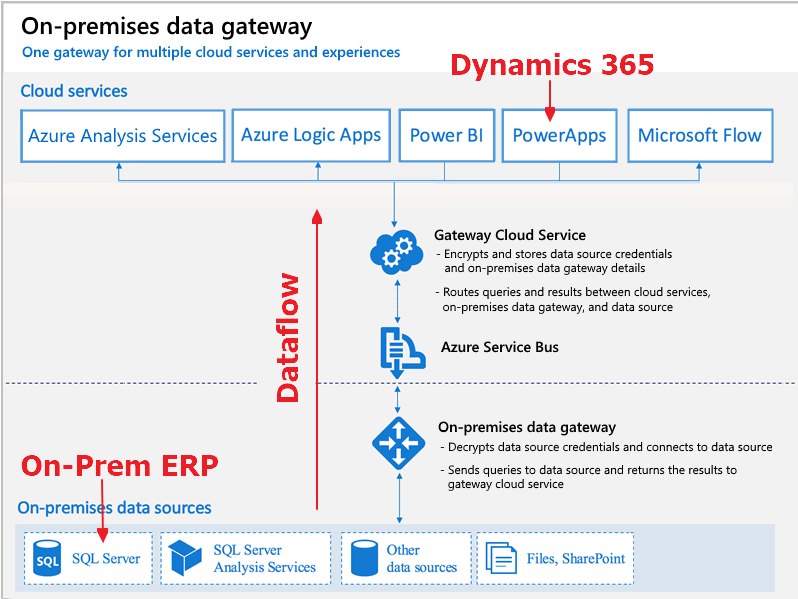
The last step was showing how we could integrate our CDS/CRM solutions to an onpremise ERP solution without a single line of code. Read more about hit HERE
People to thank
Chris Huntingford: @TattooedCRMGuy I would never have even thought of doing community or personal exposure if it were not for your exceptional outgoing personality motivating me when you where in Oslo. I know it sounds odd, but I wanted to be like you, and spread excitement and joy to others. Somehow you made something in my brain say “why not” create a blog and speak my mind! MASSIVE thanks..
Megan Walker: @MeganVWalker Getting to know you and understanding how you use the tools in regards of blog, wordpress, youtube has been very important. You were also so kind to be my first interview subject 🙂
Mark Smith: @nz365guy Thank you for hosting the 90 day Mentoring Challenge. Even though you were speaking to the masses, you make it personal to participants. I have also shared many conversations with you that mean a lot to me. Thank you for guidance in som many different levels in regards to creating a profile. I might not be the fastest at getting everything done, but I will get there.
Malin Donoso Martnes: @MalinMartnes Thank you for being persistent in your work. It inspires others to try:) You gave me the final push to submit my talk, and I don’t regret it!
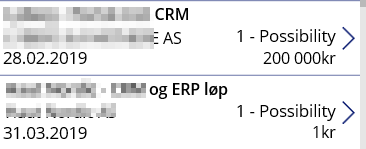
So far I feel that currency formatting in PowerApps seems to be a little troublesome. Sure everything would be great if we all sold in $ and our offers were all huge! All of the examples out there are based on this. I needed to represent values at 1 NOK and up. In Norway we don’t use “,” for separating thousands.
I am sure there are simpler ways of doing this, and I am hoping someone can fill me inn:)
For me I need to format PowerApps currency NOK. I have tried manipulating all of the above with no luck at all. Have no idea what I am doing wrong, but that doesn’t matter. I finally found one that worked for me


























 CRM Keeper