I have been posting a lot from the Data Flow in Power Platform, because I needed to use it internally. So far this tool is extremely interesting, but I am not sure it is 100% clear to me how it all works.
This is why i decided to import 94.000 contacts to 1 account, to see how fast/slow it was. I also wanted to monitor how much this affects the API or any other stuff in the CDS/Dynamcis base. This post is mostly for my own curiosity.
I decided to start with a Dynamics instances that didn’t have any users active, and no data. The following data is gathered from https://admin.powerplatform.microsoft.com.
The run itself didn’t show much of timestamps, so i opened an advanced find
First Record
Last Record
So it used 1 hour for 94883 records. Not really sure how we can measure this anymore, because of speed caps hitting a little randomly. I would say this is decent speed when importing. 94883 contacts / 60 minutes / 60 seconds = 26,35 contacts pr second
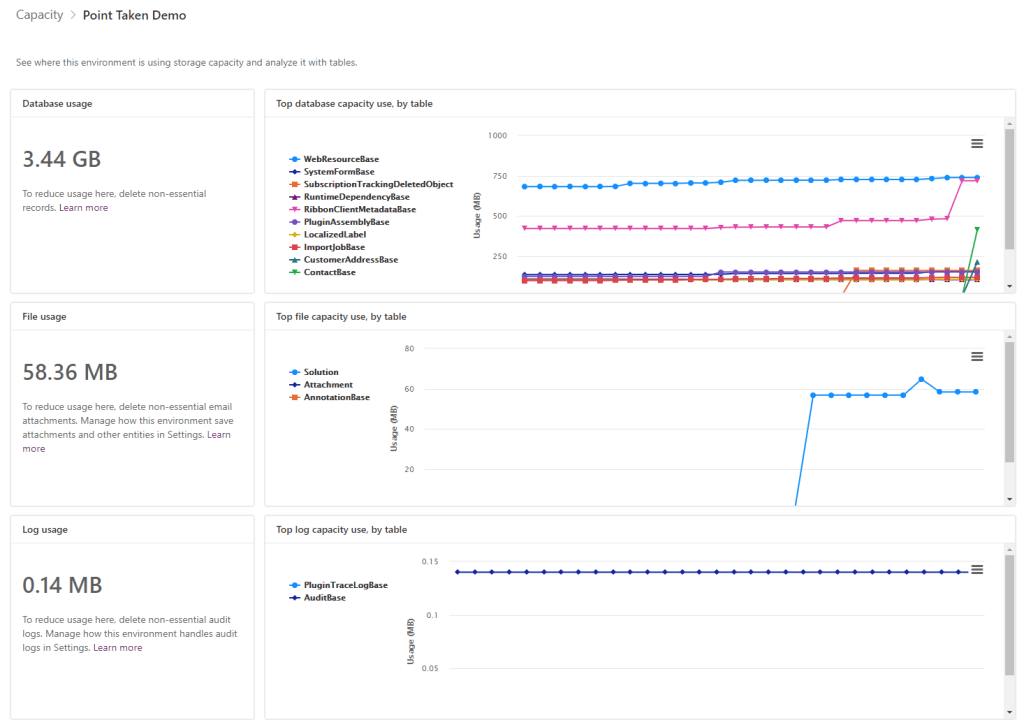
The storage grew a fair bit…. 2.72GB -> 3.44GB = 720 MB = 0,007 MB pr contact
This is the old Address entity.. Anyone even use this anymore???
How about API calls?
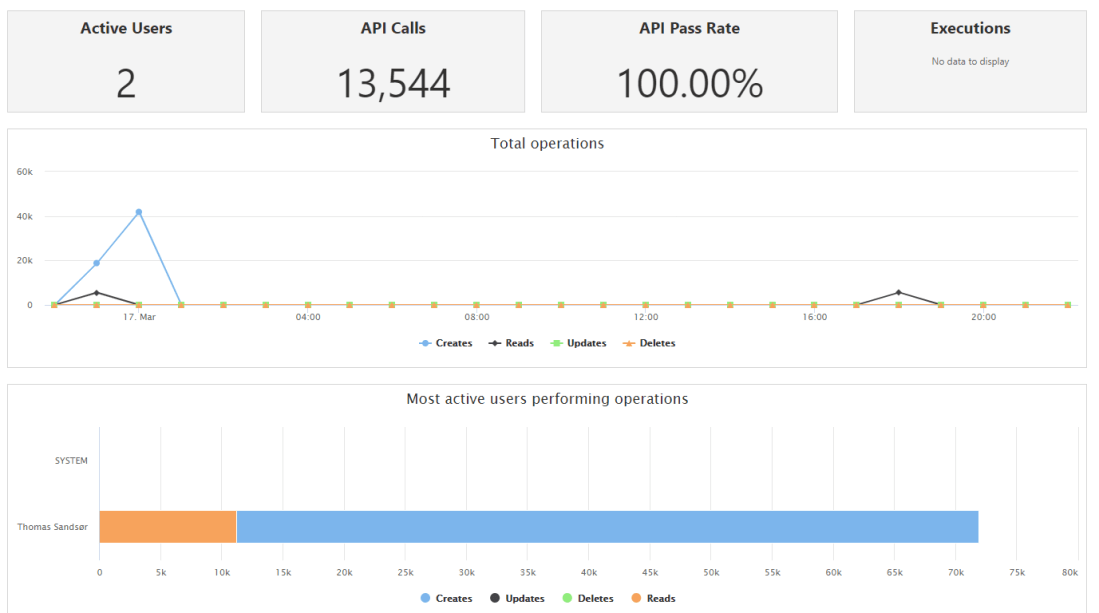
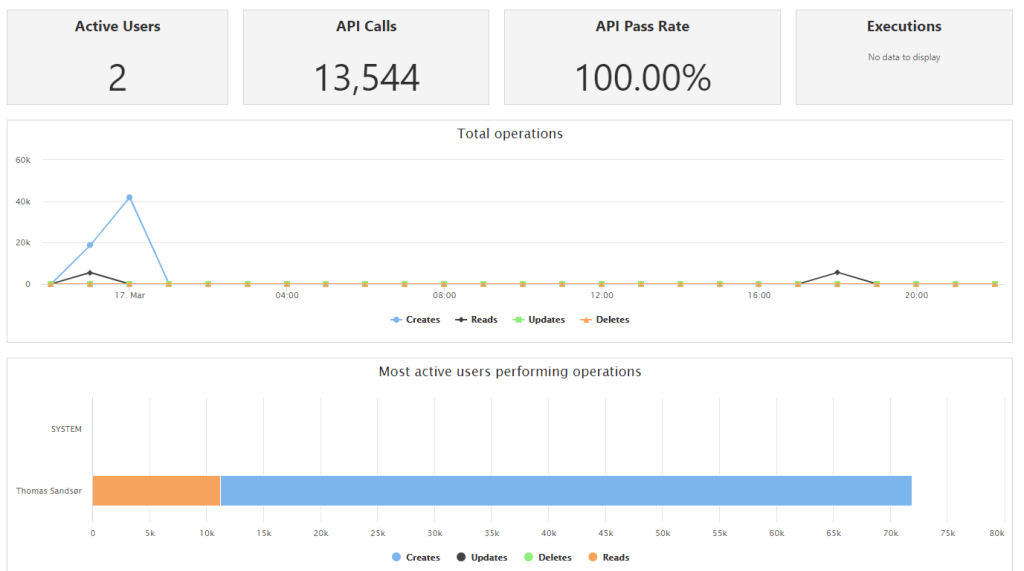
The first time i ran this, it was only create. Then i did a second round, and all I got was 13,544 API calls. I am not sure I trust the Analytics yet!
Conclusion
After running the import 2 times, i never got any indication about API usage. There must be something wrong with the statistics here? I did almost 100k upserts, and there is nothing to prove that I have accept for the Creates under performing operations. This alone would make this an unbelievable integration platform for CDS because of the API’s we are saving. I understand that this is probably not the case, and there must be something wrong with the reporting.
That being said. No one has been able to tell me if this cost any money. If this is considered a part of Dynamics/PowerPlatform license i am impressed. A truly hidden GEM.
I really hope they continue to work on this product to make integrations simple! It’s the gives me the power to integrate without knowing code!! #lessCodeMorePower
I still don’t know if this is local to my tennant, but I have tried in 2 different orgs, and I always get an error with Customer field for Contact. This post is almost identical to the Set Parent Lookup, but there are some differences in the end.
Setup Contact
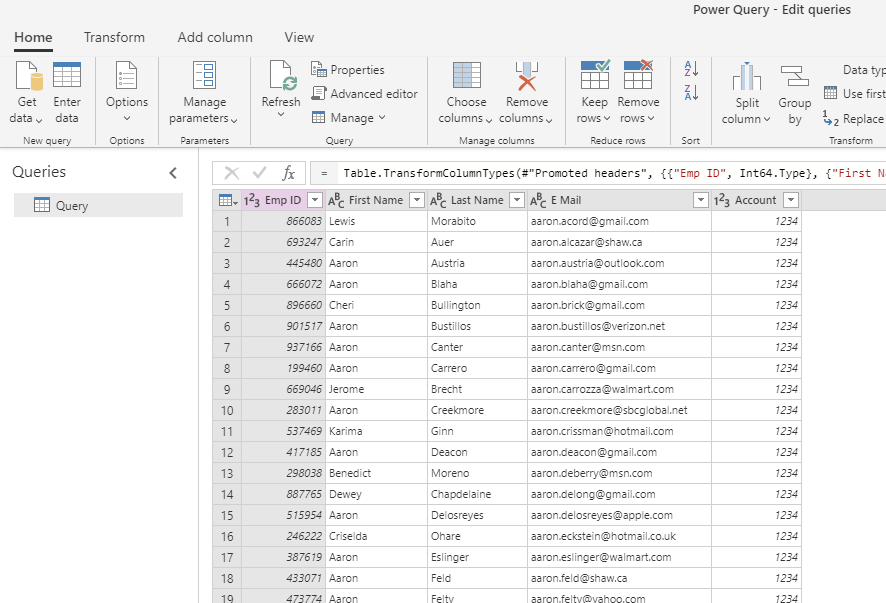
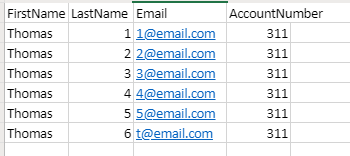
I have one Excel file with 6 contacts. They are linked to the account with number 311. The unique identifier I have on contact is email.
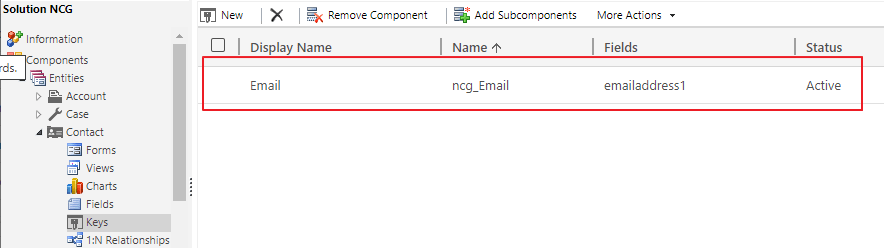
I setup a key for email on contact, so that the system will understand what to write to.
Setup Account
On the Account I have 2 fields for number matching, because I have different systems that integrate, but it doesn’t matter in this case. PO Account Number is what we are going to use, and I will try to explain why (based on my findings).
PS: Both Account Number and PO Account Number are Alternate Keys on Account!!
Setup Data Flow
Go to https://make.powerapps.com and start a new Data Flow project. In this case I am choosing the Excel file for simplicity. I have uploaded the Excel file to One Drive, so that it is available at all times online.
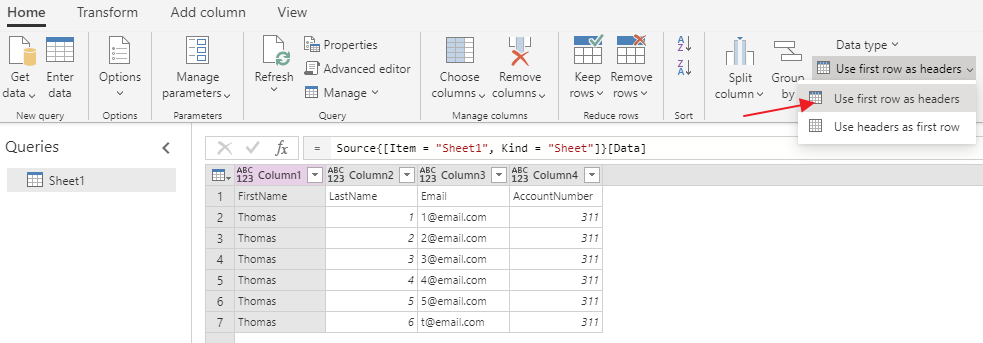
In the Excel file I had to make sure that the first row was headers before i continue
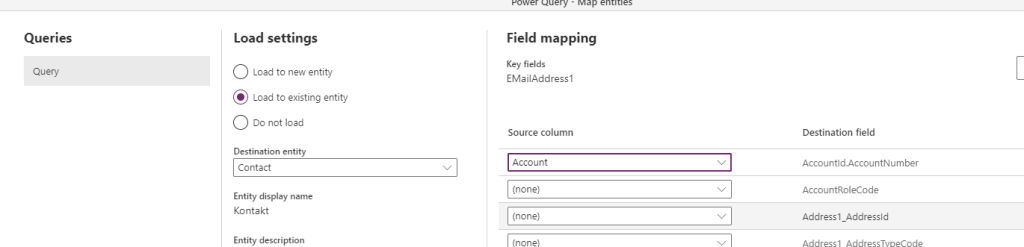
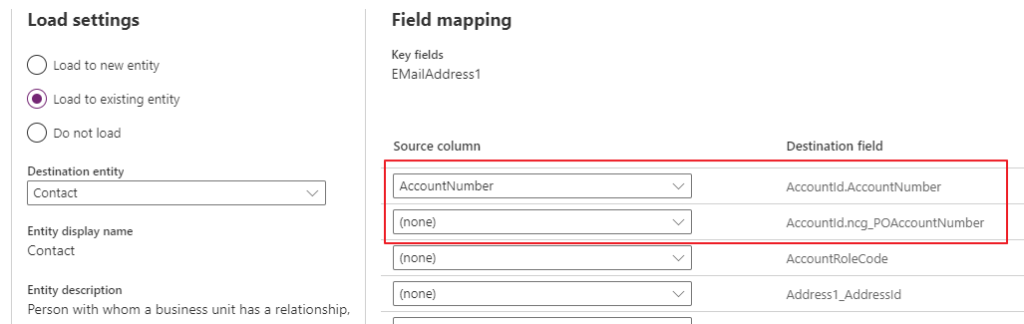
During the mapping I will see both the Alternate Keys I have for account. Normally you probably only have 1 Alternate Key for Account, but my setup requires 2 because of 2 different systems integrating against 2 different numbers. For blog i am using value 311, so it doesn’t really matter here.
When done mapping Account Number (again it doesn’t matter if I choose one of the other) continue to the next step. I choose a manual refresh, and it get stuck here.
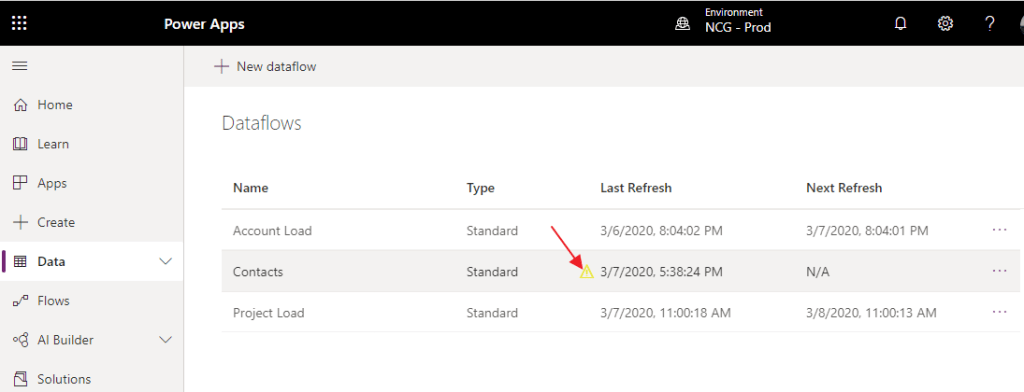
You will also see an error in the data flow projects.
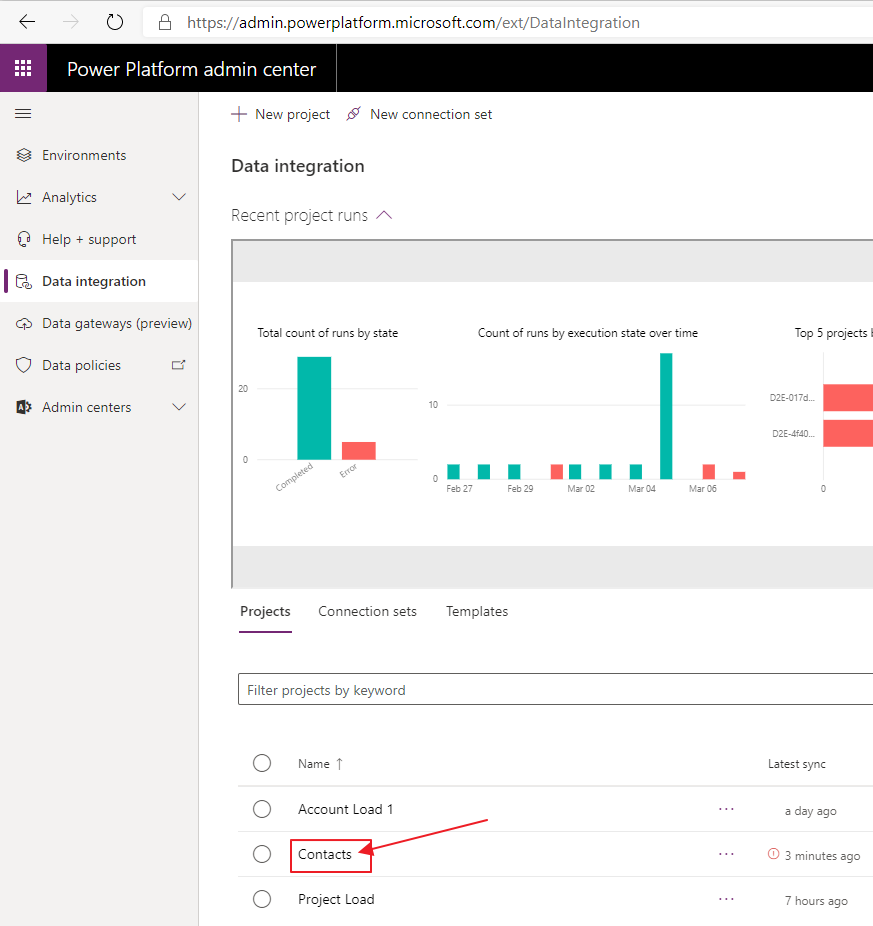
Open data integrations, and open the one that failed.
From here you can open the mapping table
This is where you most likely will see a missing mapping. For some reason it cancels out my mapping. I have tried this in 2 environments and same issues. Every time i choose the Customer Lookup i have this problem.
Click on the destination field, and navigate WAY to the bottom.
This is where I believe the bug is located. Data Flows happens to be sensitive to what Alternate Key was created last. This key is the last thing that I published on Account, and therefore it is in the list. If you only have 1 alternate key, this will show.
Again, it doesn’t matter in this demo because i have 311 in both KEY fields.
The Work Around
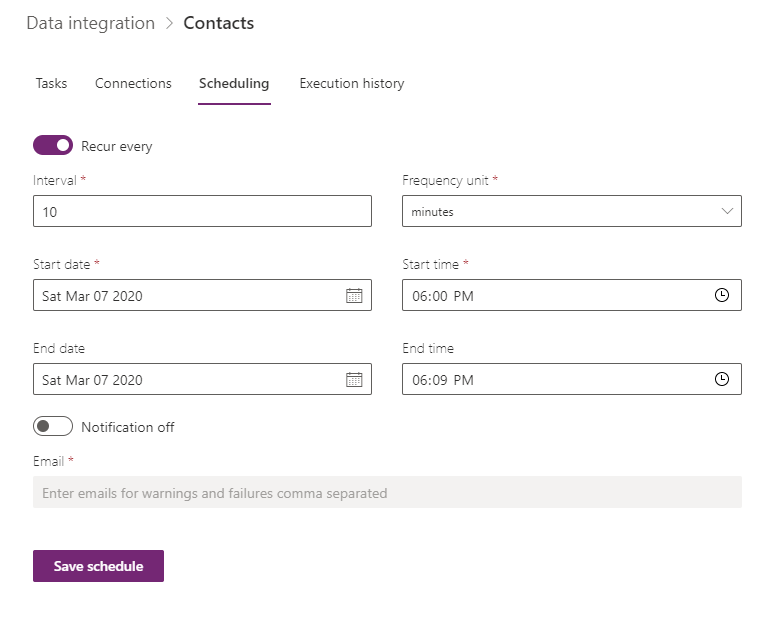
After you save the changes, open Data integration. Here you will setup a schedule to run from the admin.powerplatform.microsoft.com.
Click save schedule and wait for it to run. PS!! Remember to stop the schedule when done!
For the Final result you will see 6 contacts connected to the Account
Next up is how long does it take to import 94000 contacts to CDS via Data Flow!
This blog post is step 3 of the Data Flow setup in combination with On Premise Gateway. In the last post in imported all of our ERP accounts to the CDS database. Now I wanted to import all active projects, and connect them to the the Accounts in CDS. There are a few odd things you have to do in the setup to make this work, but I will try to outline this without being to detailed..
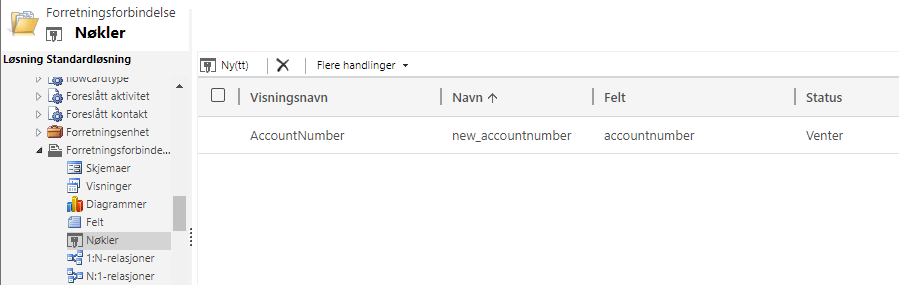
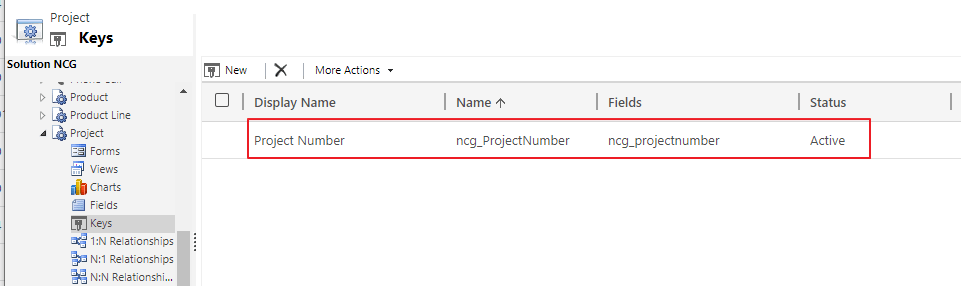
First off we need to get familiar with the Alternative Keys in Dynamcis. In Account I created alternative key for AccountNumber. I need to do the same for Project.
The field is also represented on the form. I choose to keep these as “Single Line Of Text”. Just keep it simple, because this doesn’t need to be advanced.
This is important so the import is able to match every time runs. Remember that the Data Flow is doing UPSERTS. It will create a new record if it can’t find the project number. Imports CAN’T connect to GUID’s because my ERP system does not have the CRM GUID.
Make.PowerApps.com
The most important thing you do here, is make sure you have the correct environment!! 😉
If you don’t understand this setup, look at my first blog about the DataGateway
The important pieces of information here are: * Project Number * Project Name *Account Number
This is all i need to create a project in CRM and connect it to the Account
Connecting to Lookup
This is where you need to pay close attention. First you choose the project (or other entity) from a list of existing entities. The Alternate Key will display if you have done this correctly. If nothing is there you have to go back and start again with alternate keys
There are 2 lookups on project. Account and Contact. Account has 2 alternate keys, and Contact has 1 alternate key.
Account:
Contact:
This is why you will see 3 fields in the beginning of the mapping 1. ncg_Account.AccountNumber – Account looup identifier 2. ncg_Account.ncg_POAccountNumber – Accound lookup identifier 3. ncg_CustomerContact.EMailAddress1 – Contact lookup identifier
I am using the AccountNumber for a different purpose, so let’s just forget this one for now. I am using the Account Number from ERP to the ERP field on the Account entity to create a match.
Schedule
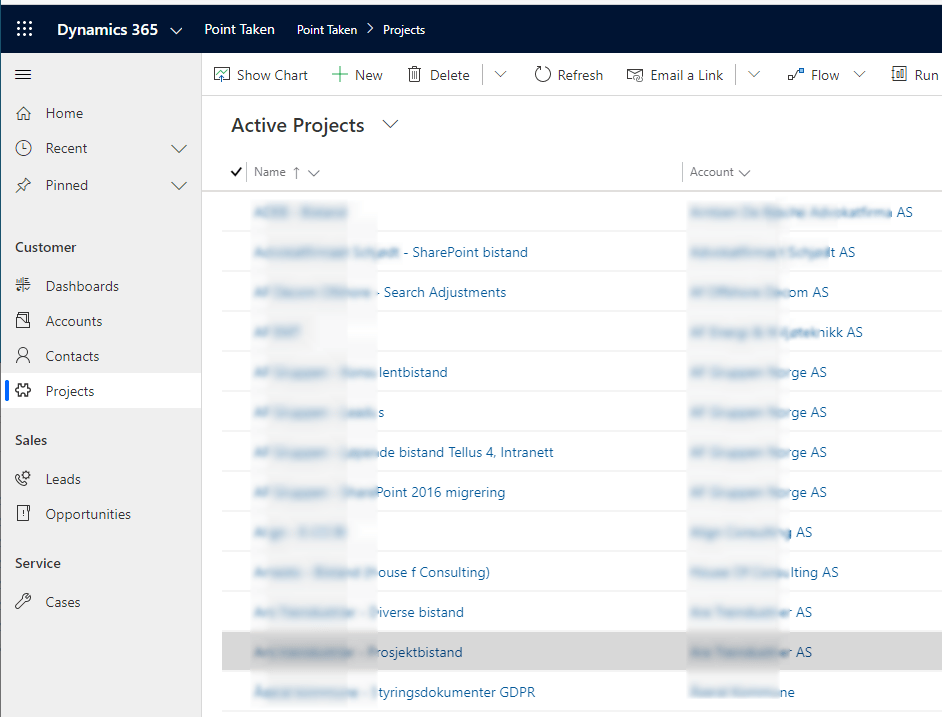
After you have set a schedule, you should see the results in CRM:) In a later post I will tell you why I am connecting the project records to dynamics. A quick hint, Forms PRO and NPS!
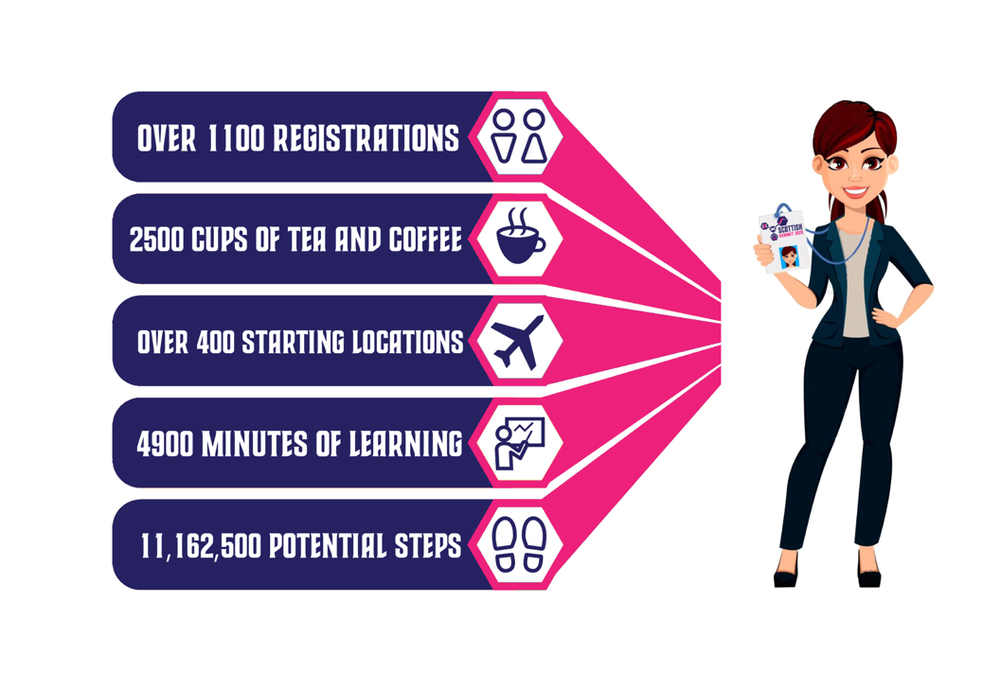
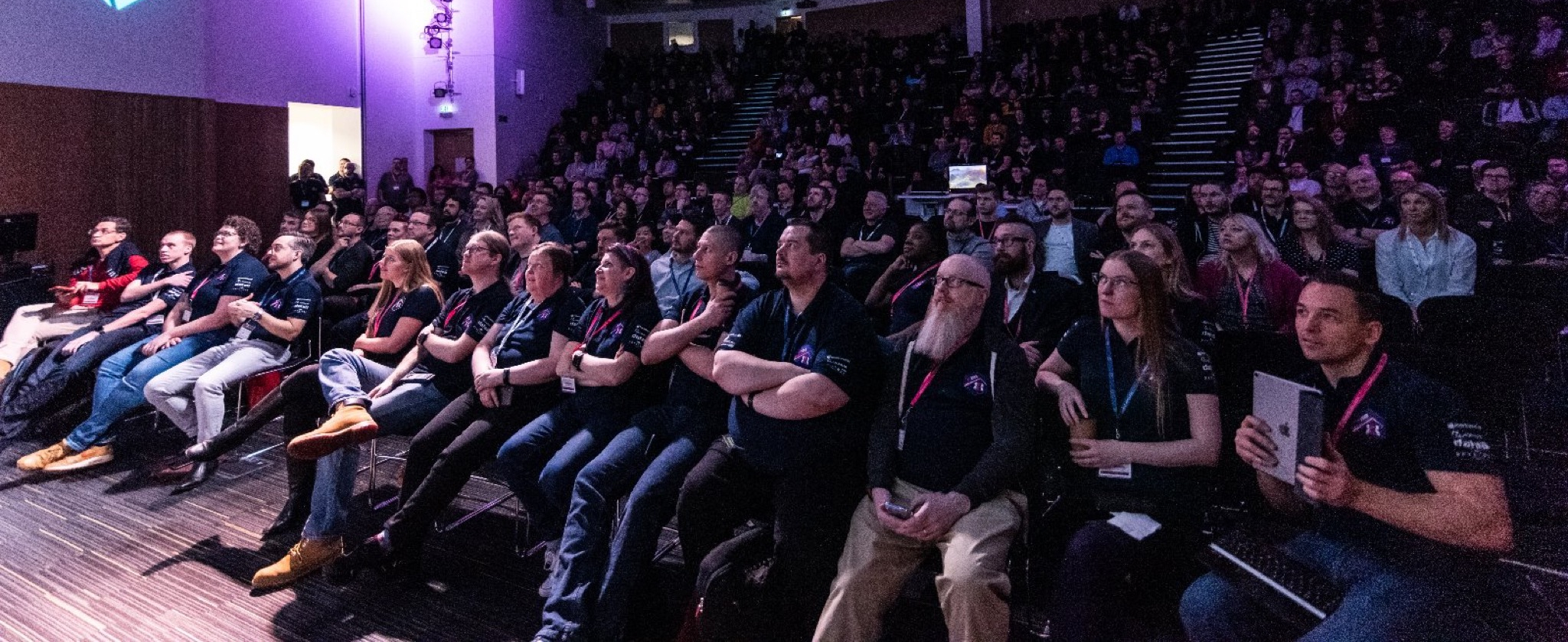
Scottish summit was really impressive, and that is probably why you see everyone writing about it. There were so many sessions to attend, that it was impossible to be everywhere. That is why everyone has a different experience of the summit. That is just to say how extremely big it was!
Mark Christie and Iain Connolly…. Well Done!
Keynote – Jon Levesque
Picture from Marijn Somers
Kicking of the keynote was Jon Levesque entering the session on possibly the coolest way ever, and wearing a kilt accompanied by bagpipes
Jon is a great speaker. His talk was about personal transformation, and how he had gotten to where he was today. Believing in himself and setting a goal in his life. He wanted to get payed for talking. Given his current role in Microsoft, it is clear that he has come far with his goal.
He also time to talk about Samit from Heathrow (recent addition to the MVP family), and how his transformation from a security officer at the airport to one of the communities leading entrepreneurs in power platform.
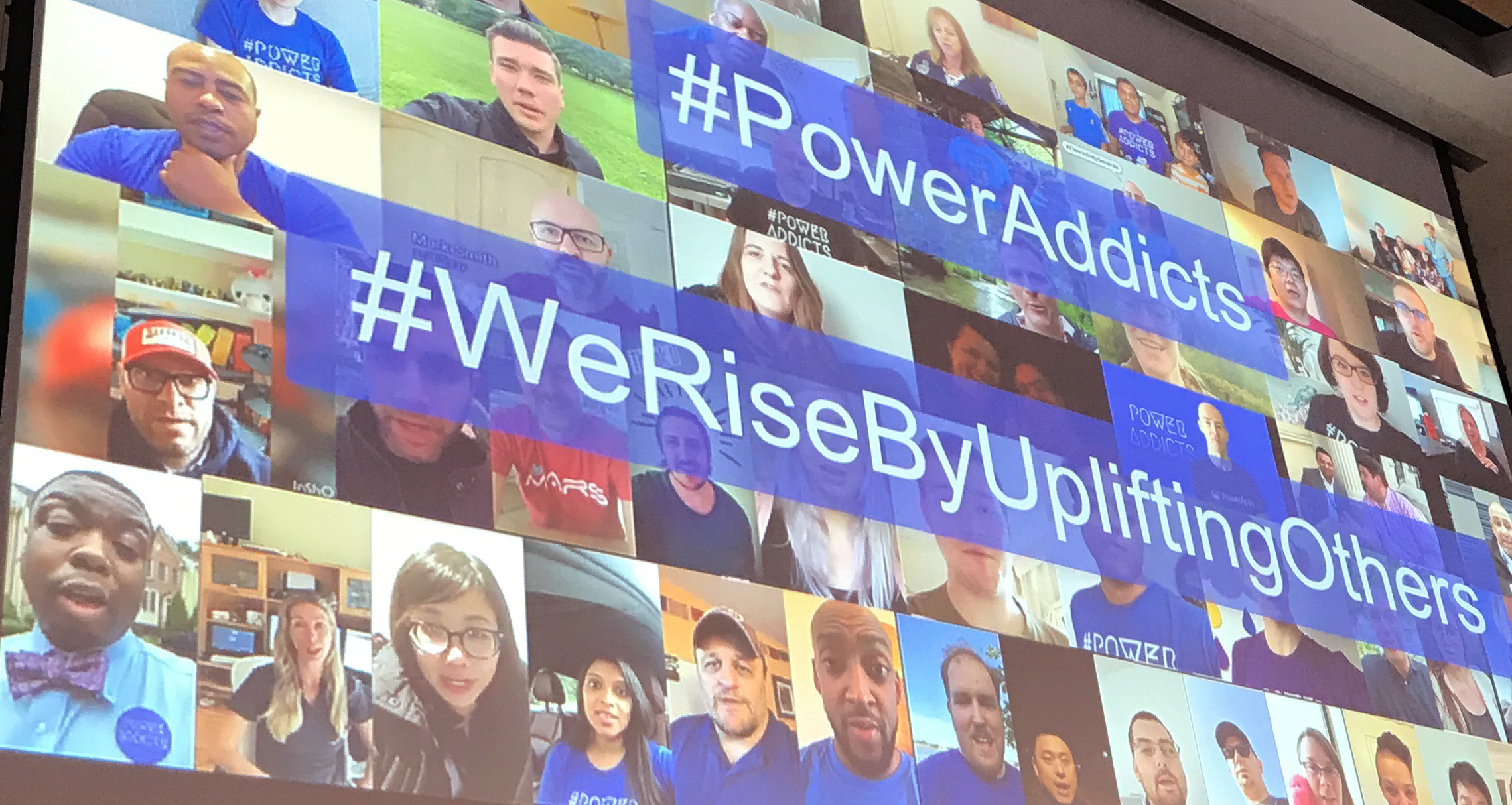
He completed the keynote by talking about the community and the #PowerAddicts. The community is seeing a spike in participation that is just unreal. So many no-code / low-code enthusiast out there that love sharing knowledge. I have been in Dynamics since 2007 and I have never seen anything like it before. Sharing knowledge has never been so important, and I am glad I get to take part in it.
Tricia Sinclair – Omnichannel
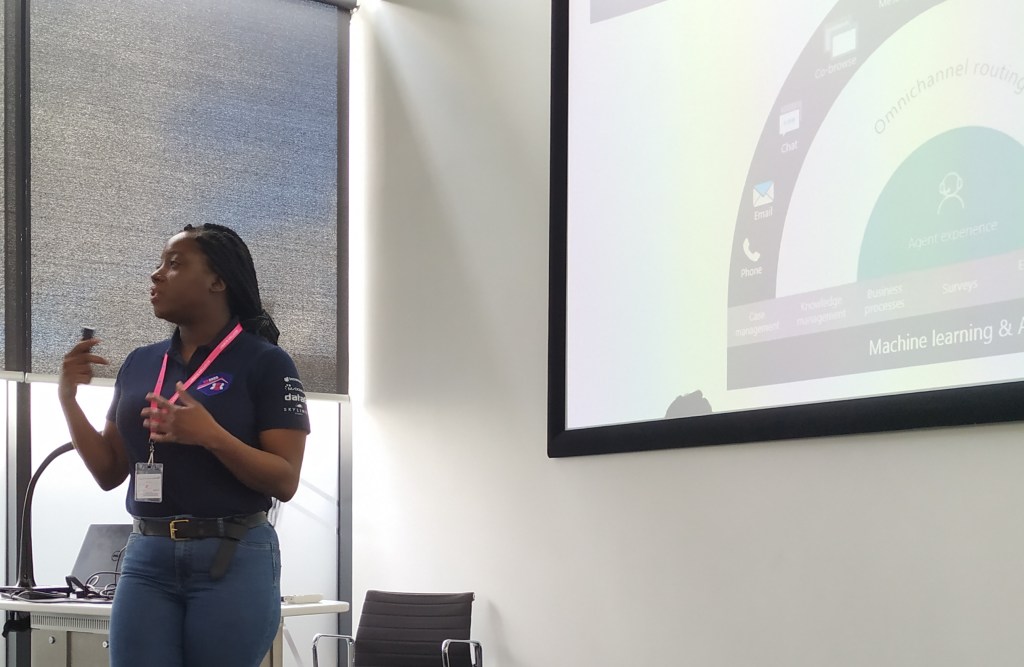
Omnichannel is a fairly new product in the Dynamics family, and many people consider it USD’s little brother. I would say that the project is smaller than USD, but in functions it is amazing!
Smart Assist (really cool) on the right side of the panel reads the chat dialog and gives live suggestions to help the agent. In her example she mentioned a meeting, and the smart assist suggested to setup a meeting with the client. Things like this can be a major time saver and great help for the agents.
The best thing about this product is that many of the settings require very little configuration. Microsoft has produced something that is very similar to an actual product that delivers value from day one. I believe this product will fit both large and small companies because of the configurable setups. I would definitely set this on the “ONE TO WATCH” list for the next months.
Tricia is extremely knowledgeable about Dynamics, so it is just relaxing to hear her talk about it all. There is no doubt about what can or can’t be done.
Seriously, I really want a project where I can use this tool. Connect with me if you want to be a trial customer for a good price:)
Ben Volmer – Field Service Business Value
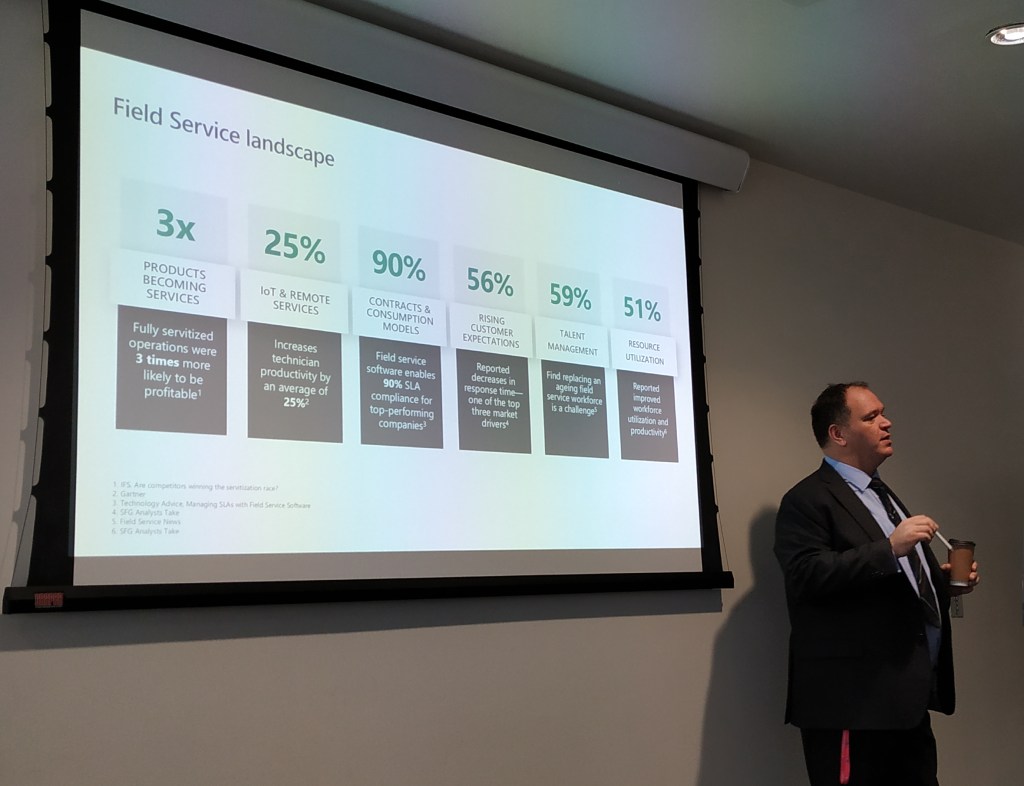
In Europe we wonder if Microsoft ever looks outside the USA to see how the rest of the world is in scale. During this talk I really got into the mind of Ben and what discussions he is having with his customers. In short terms, everything is bigger there.
While Ben is talking about optimizing operations to save millions, I am still at the ABC’s in teaching what Field Service can do for your organization. Attending his session made me realize that I have a long way to go in order have a similar conversation with potential customers regarding Field Service optimization.
I learned a lot by actually not being able to relate to any of the business decisions that a Field Service organization in the USA (and large organizations) have to make. If you ever have the chance to go to a Ben session, make sure he indulges you in the business perspective of Field Service, because it put’s a lot of things into perspective. Functions and features you can read about in the release notes:)
Business models are changing, and old cost centers are now potentially the best ways of increasing revenue. Rolce Royce is no longer just an engine manufacturer. They now sell engines based on running time. This way the customer is paying for an active engine, and not the typical maintenance and support contract. This increases the revenue stream for the company by a lot, because the hardware business has lower margins now than ever before
— Thomas Sandsør | CRM Keeper 🇳🇴 | MVP (@CrmKeeper) February 29, 2020
Chris is one of those people you just believe was born to talk. I am sure he has worked his ass of to be where he is today, but if you meet him you will know what I mean. He is simply in the correct role for his personality, and I am sure he is one of the major contributors to the fact that UK has such a great community.
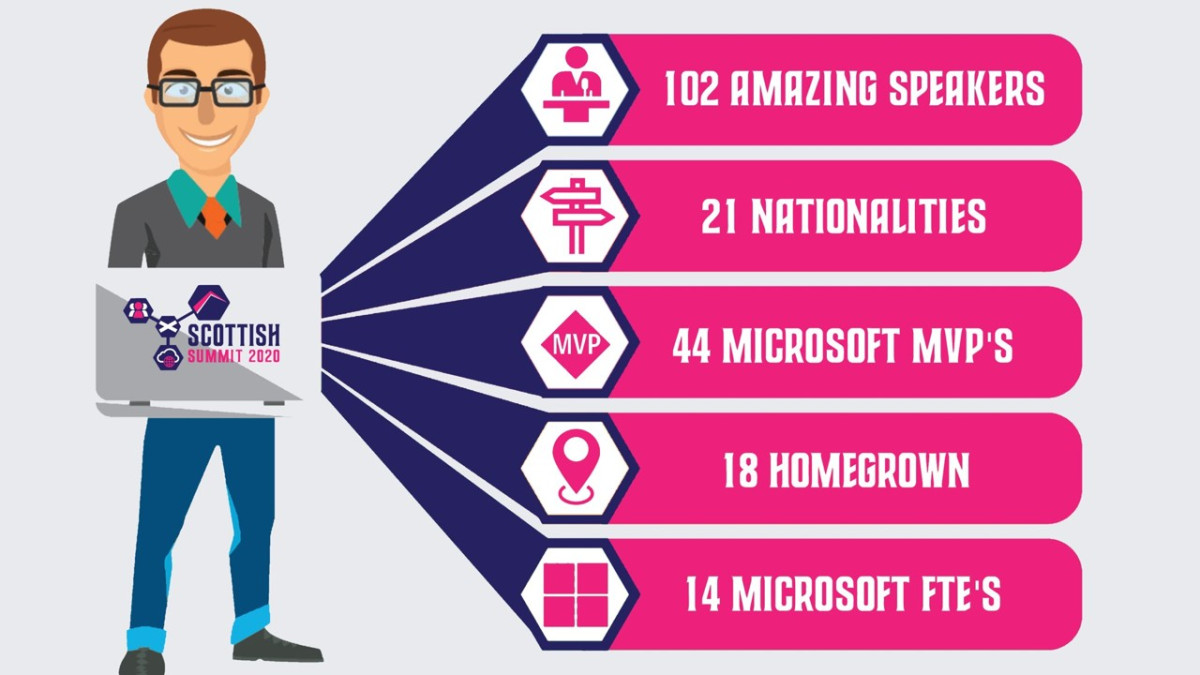
So what about his session? Well, it was mostly about momentum in the Power Platform, and how it has been moving the last year(s). Just look at the numbers under to be amazed.
The platform has transformed what used to be workers without power, to workers that now call themselves citizen developers. Microsoft has a goal to grow the number of citizen developers to 10 mill within a few years, and that means that you, me, and everyone out there will learn how to get more out of the data in the organization. This is good news.
Chris also has a smart way of defining the difference of Model Driven apps and Canvas Apps.
Model Apps is the Line of Business application that supports complex business scenarios.
Chris
Canvas Apps is not LOB, but is designed to support a specific workload for a specific role. This is where the citizen developer comes in. Instead of having to use developers to get great value, non technical people now get the power to create smart applications. We ended the session by creating a UFO Sighting app within 10 minutes, just to prove how quick it can be done. We managed to create both a Model driven app and a Canvas app in that time. Not many platforms in the world are capable of something like this.
Lucy Bourne – Surviving Networking
Lucy shared 20 great tips for getting better at networking. This session also related to the mental issues that some people struggle with when they are their own worst enemy.
20: Go get started, take the leap – Dare to do things you haven’t done before. What is the worst that can happen
19: Be ballsy, like Howie (ACDC) – Howie was a consultant wanting to participate at the ACDC hackathon in Oslo. He didn’t have a team, but gave it a shot anyway. He wanted to be a part of something where he could identify as “home”.
18: Make a plan for the year, sessions, meetups etc. What does it mean for you personally? – Being prepared helps you manage time better. Time is important, and when you improve your time skills, everyone around you benefits from this. Friends and Family should never be neglected when pursuing a dream. They should bee there as important assets in achieving a goal.
17: Work out where you want to start. – Find your clan. Find out where you want to belong, and what passions others share. Be inclusive and never think you are better than others.
16: Find your focus – You cant cover it all, and that is ok!!
Define topics and channels – Where is your passion? Work on it
15: Be Authentic – If people don’t like you for who you are, that is their problem. Don’t try to be something you are not. Unless you are an asshole, then you can change;)
14: Remember Empathy Not just listen, but actually listen #bekind
13: Meet people in their onlyness Everyone has their own story to tell, experience and challenge. Understand them and try to relate.
12: Dedicate time to research Figure out where people are talking, who the speakers are, topics they will be covering etc etc.
11: Follow up – Luise Freese has found ways of automating follow-up of contacts when at seminars. Using different tools to reach out while recording who you are. Find a method that works for you, so that you don’t forget.
10: Share the Love – Find something you like. Share it. Community is about sharing. Open up to others, and they will in turn open up to you.
9: Ask for help – Be the person who asks the question everyone is wondering about. There is always someone there that is wondering about the same.
8:Create your own mission statement How do you want to be perceived. Make it simple, but meaningful. That way it is easy for people to understand what your goal is.
7: Give it time One event wont make you famous. Tender love and care.
6: Find a Balance It can be overwhelming you being everywhere. Find inner peace knowing that not being at an event is OK.
5: Get the tools – About.me. Smart way of sharing your info. – Session questions (get customer interaction). Get the people in the audience activated
4: Remember inclusivity – Bring a friend – Be a friend – Be a matchmaker
3: Build your network – Talk to people, and figure out who they are. Don’t be afraid to approach people. At a community event they are mostly here for the same reasons.
2: Be a matchmaker. If you know people that might match, just try to help them meet.
1: Put your skills to the test Link up to local communities and try to be a part of it. All communities love receiving help. Most of the people are doing this at free will.
Random Pictures
What’s next!!!??
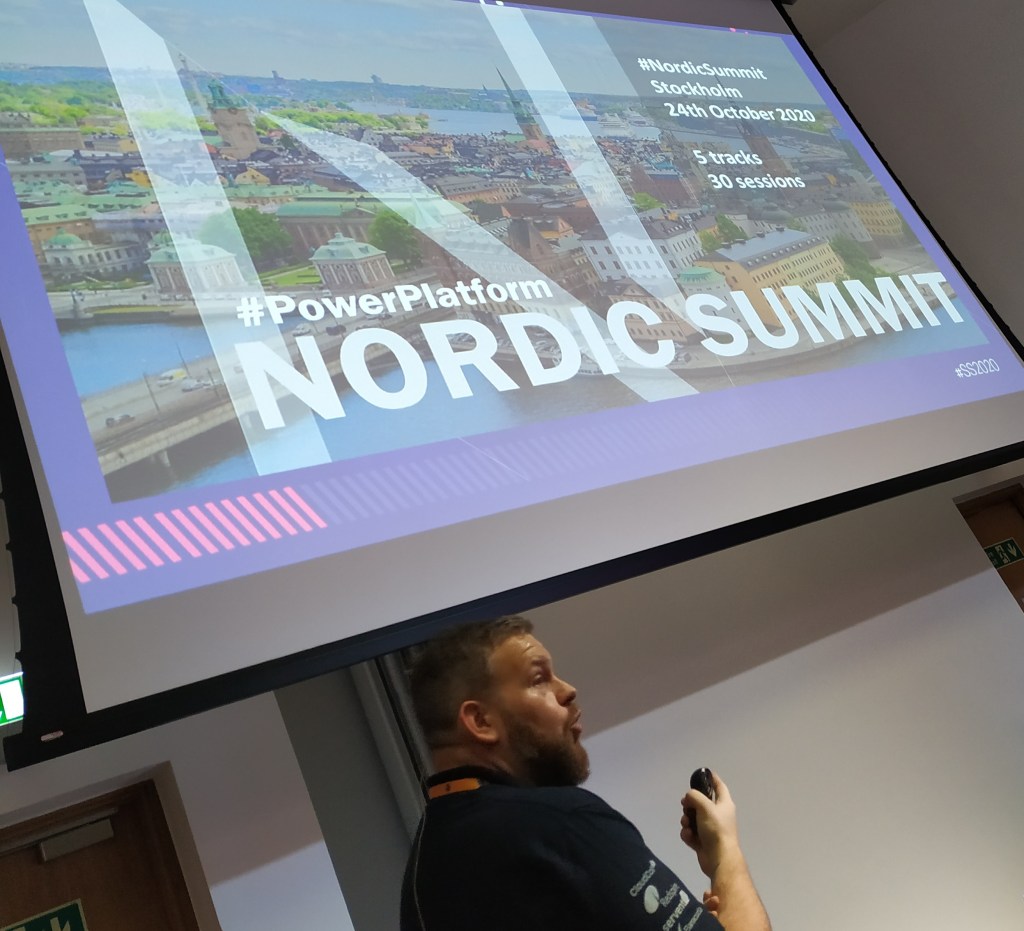
NORDIC SUMMIT is in October. Don’t miss out on this epic event…
So for those who know me, I still play Soccer at a fairly decent level (hence CRM KEEPER). This i a huge part of my life, and I hope it can stay that way for many years to come.
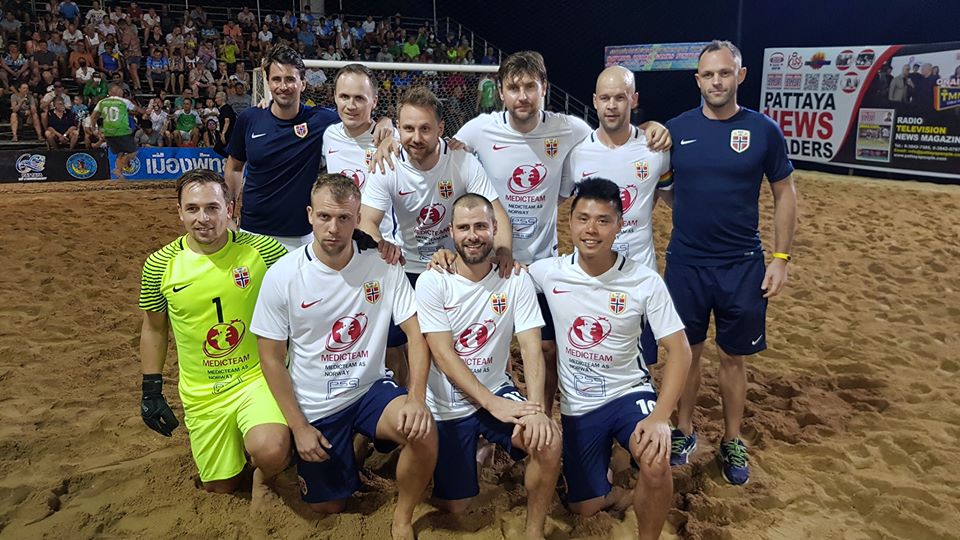
This week I was in Thailand during a yearly tournament. All in all there are 10 different nations competing, and it is just a blast! If you want to see more from that, I have pictures on my Instagram: https://www.instagram.com/thomassandsor/
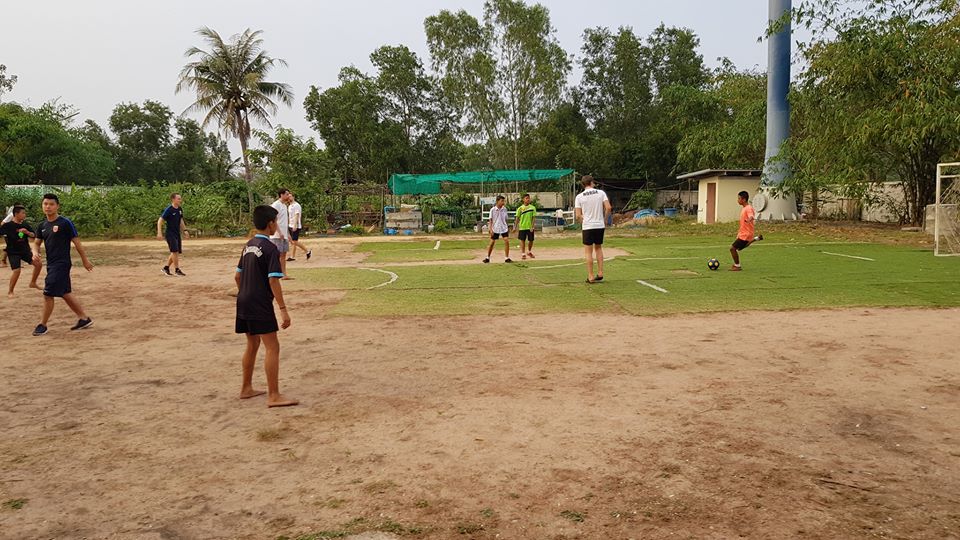
This year was a little special for the Norwegian team, because we got to visit an orphanage a bit outside the city. This orphanage relies hugely on volunteer efforts to help the kids, and donations from people well off.
Our small social visit probably won’t have an impact on their lives, but it certainly impacted ours. Last year I was involved in Doctors Without Borders (PRO BONO), and I think I will try to do more work like this in the years to come.
Readers of this blog will probably be tech, so think about what you can do to help other organizations be/do better. We can’t all be doctors/nurses or other types of heroes, but we certainly do our best within tech to help those that help others!
There’s lots of documentation about Field Service Schedule Board but some key elements that I didn’t understand before I tried it out myself.
Hitachi wrote a great post that got me on the right track, so this is more an extended version i guess. PS, I also stole the pictures from Hitachi, and hope they don’t mind. They did the hard work, I am just adding my findings:)
There is lots of documentation out there about editing the schedule board, and most of it is actually from Microsoft DOC’s. Only problem is that I don’t always find examples I fully understand. The question was, “How do we configure the schedule board items?”.
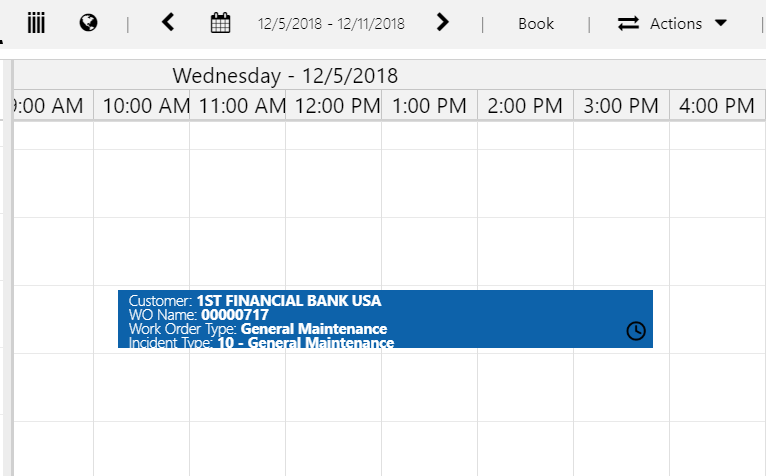
This picture is from Word Order that has been placed on the Schedule Board. The current item is shown with Work Order number and Duration. The customer wanted something else. As Hitachi explains in their blog, you can achieve this with a sample code they included.
Understanding the levels of fields and syntax
Level 3 (Bookable Resource Booking)
<div>
Duration:<b> {duration}</b><br />
</div>
{duration} is a field on the actual Bookable Resource Booking entity. It is on the lowest level, and you simply use the schema name to refer to duration on Bookable Resource Booking.
Level 2 (Work Order)
Now you navigate one level up, and guess what.. It’s actually not that hard!!! It is simpler to do this here than in JavaScript!!!
<div>
WO Number:<b> {msdyn_msdyn_workorder_bookableresourcebooking_WorkOrder.msdyn_name}</b>
</div>
First i use the 1:N relationship name {msdyn_msdyn_workorder_bookableresourcebooking_WorkOrder}, anb then i just add the {msdyn_name} that is the name of the Work Order one level above.
The upper level might get a little tricky, but it is not that hard once you figure out how to use it. First relation is: {msdyn_msdyn_workorder_bookableresourcebooking_WorkOrder} – LVL 3 to LVL 2 Then you add {msdyn_account_msdyn_workorder_ServiceAccount} – LVL 2 to LVL 1 Now you are in Account, and lastly add {name} for the name of the account.
My final design
<div>
WO Customer:<b> {msdyn_msdyn_workorder_bookableresourcebooking_WorkOrder.msdyn_account_msdyn_workorder_ServiceAccount.name}</b><br />
WO Number:<b> {msdyn_msdyn_workorder_bookableresourcebooking_WorkOrder.msdyn_name}</b> - Duration:<b> {duration}</b><br />
</div>
Here you have some examples on how to navigate the different levels.. Hope this helps:)
So why am I fussing about it now? Well, after all these years Microsoft is still using the Potential Customer field for Field Service.
The error (Accound with id Does not Exist)
Did you ever see this message in Field Service?
“Account With ID = Does Not Exist” – Field Service
As you can see from the image above, the Potential Customer has been set to a Contact.
Standard behaviour is that Account should overwrite the contact, and therefore always show account if account is present. Sometimes this doesn’t happen, and then you will receive the following error when trying to convert to Work Order.
The fix is extremely simple. Dear Microsoft, please just read from the Account field😊
Ideas
If you for some reason feel the same about this, I created a suggestion for improvement..
I began blogging in march of 2019 to finally put my money where my mouth is. I have encouraged others to do this for quite some time, without ever doing it myself. I thought I would share what i have learned so far, and hopefully share an inspiration to someone else out there wondering if he/she should start with the same.
Blogging
I started off solid doing lots of blogging trying to keep a red line, but things got in the way. Work got overwhelming, and I had to focus on delivering customer solutions rather than sharing information. I was no longer able to do both (as you can see given my latest activity from images below).
This only led me to understand the tremendous work so many people are doing out there where they combine customers, family and community. Some consultants get a “free pass” from work to do community work, but so many others do this on their free time. How you manage to do it i still don’t know, but it is admirable!
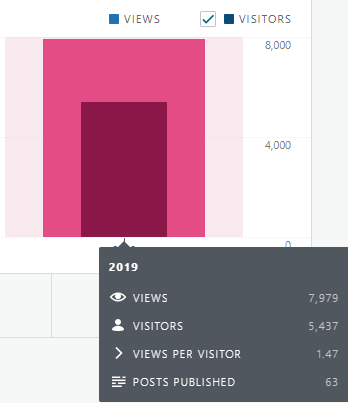
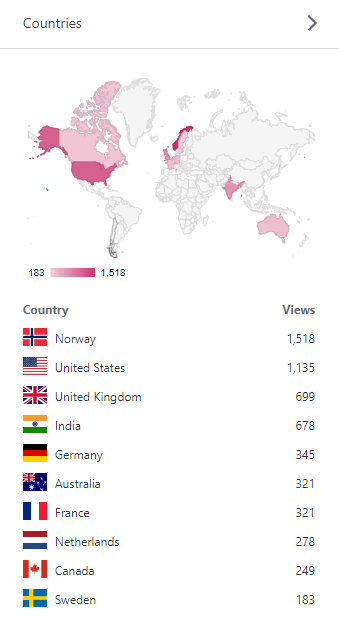
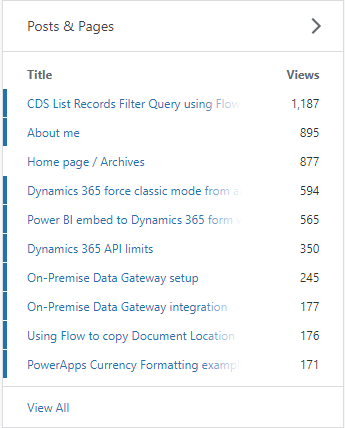
So here are my stats:
I got 1187 views for my CDS list records in flow post, and that is quite fun! That means that someone out there hopefully has seen this and found it usefull. This actually means a lot to me!
Speaking
I got to attend a few speaking engagements. 1. Women in Dynamics – Talking about dataflow 2. Power Platform Saturday Oslo – Talking about Power Apps Canvas 3. Breakfast seminar Oslo – Talking about Power Apps Canvas
I will try to create more topics to talk about in 2020, and be relevant enough to show up on more stages around the world. Speaking is something I enjoy, and I get to meet so many interresting people!
Hosting
Power Platform Saturday Oslo. The amazing Marius did this almost completely by himself, but i got to be a part of the organizing.
Arctic Cloud Developer Challenge. An amazing hackathon that will be in February 2020, and I am on the board as a volenteer.
Power User Group. Together with Marius (own company), Guro (Avanade) and Malin (KnowIT), we are starting up a User Group in Norway. First activity January 2020.
What did I learn?
I learned that blogging/social media requires a lot of work. A LOT!!! I never entered this part of my career as a sprint I had to see done over night. I started with this because I wanted to share my 12 years of experience in Dynamics hoping to help others. Hopefully I will write something usefull in the comming year that will help someone else in the quest for answers, and just because of that.
YES, it is totally worth it!
Thank you for reading my blog this year, and lets hope it gets stronger in 2020;) Merry Christmas





































 CRM Keeper